
System Design
Academic project
Product Design
60+ screens
90+ Days (Including research)
PASHU RAKSHA
Digitising livestock compensation for forest department
From paper-based inspections to accountable, on-ground digital workflows
From paper based inspections to accountable, on ground digital workflows
Academic project
60+ screens
90+ days (Including research)
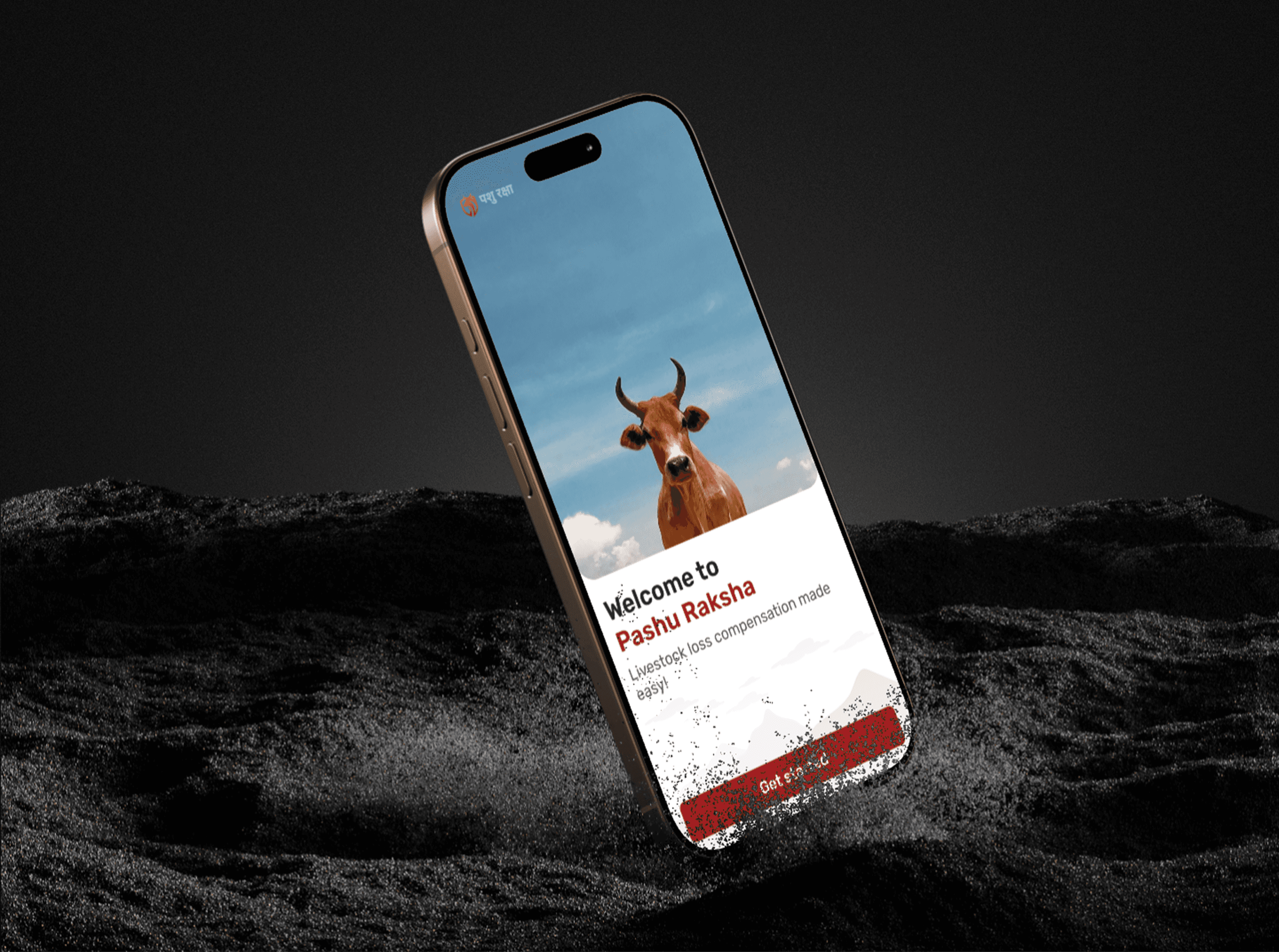
Pashu Raksha
Digitising livestock compensation for forest department
From paper based inspections to accountable, on ground digital workflows
The Brief
The Brief
The Brief
When every hour matters, paperwork shouldn't stand in the way of relief. For families living near forests, livestock is often their primary livelihood. Yet compensation claims after wildlife attacks are slowed by manual paperwork, delayed reporting, and fragmented coordination. Pashu Raksha transforms this into a faster, transparent, and offline-friendly digital workflow for field officers.
When every hour matters, paperwork shouldn't stand in the way of relief. For families living near forests, livestock is often their primary livelihood. Yet compensation claims after wildlife attacks are slowed by manual paperwork, delayed reporting, and fragmented coordination. Pashu Raksha transforms this into a faster, transparent, and offline-friendly digital workflow for field officers.
When every hour matters, paperwork shouldn't stand in the way of relief. For families living near forests, livestock is often their primary livelihood. Yet compensation claims after wildlife attacks are slowed by manual paperwork, delayed reporting, and fragmented coordination. Pashu Raksha transforms this into a faster, transparent, and offline-friendly digital workflow for field officers.
Meet the people (users) who are going to use this platform
a.k.a. Persona
BEAT
GUARD


RANGER
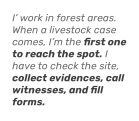
I want a way to record everything properly at the location, so later no one questions what I did or whether I was really there.
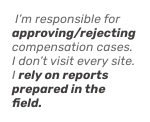
My challenge is deciding fairly, quickly, and confidently,without calling files back or keeping cases pending.
If I can clearly see what was verified on-site and when, my decisions become faster and more reliable.
The Real Problem on the Ground
Livestock deaths due to wild animal attacks are not rare events in forest adjacent villages. For many farmers, the loss of a single animal directly impacts livelihood and survival.

But…compensation is there
Compensation exists to support these farmers, but it depends entirely on accurate on-ground verification by forest staff.
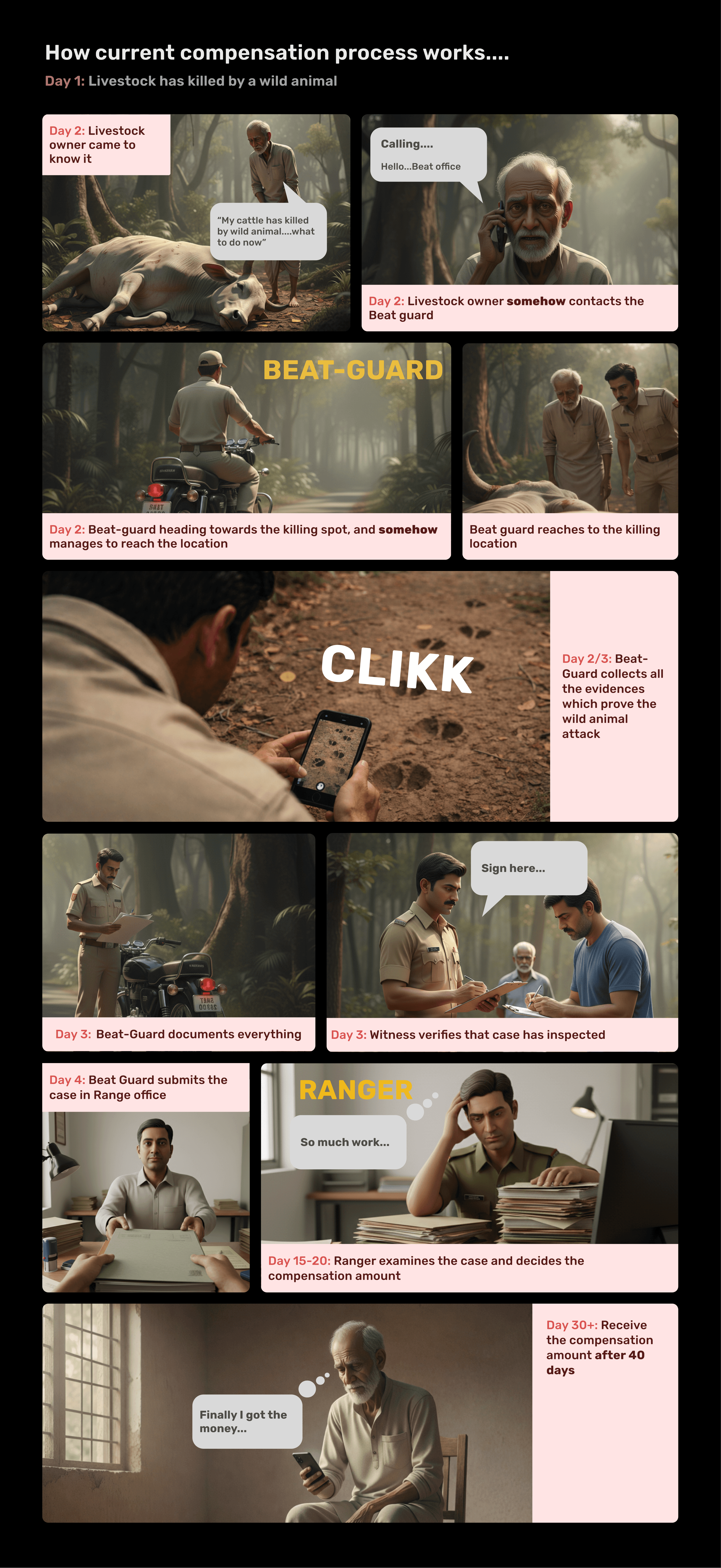
Today, that verification process is largely manual and paper-based.
But current compensation process creates systemic problems:
The process is slow
It is error-prone,
It leads to disputes,
It is difficult to audit
The Real Problem on the Ground
Livestock deaths due to wild animal attacks are not rare events in forest adjacent villages. For many farmers, the loss of a single animal directly impacts livelihood and survival.
But…compensation is there,
Compensation exists to support these farmers, but it depends entirely on accurate on-ground verification by forest staff.
Today, that verification process is largely manual and paper-based.
But current compensation process creates systemic problems:
The process is slow
It is error-prone,
It leads to disputes,
It is difficult to audit
What I noticed during the research
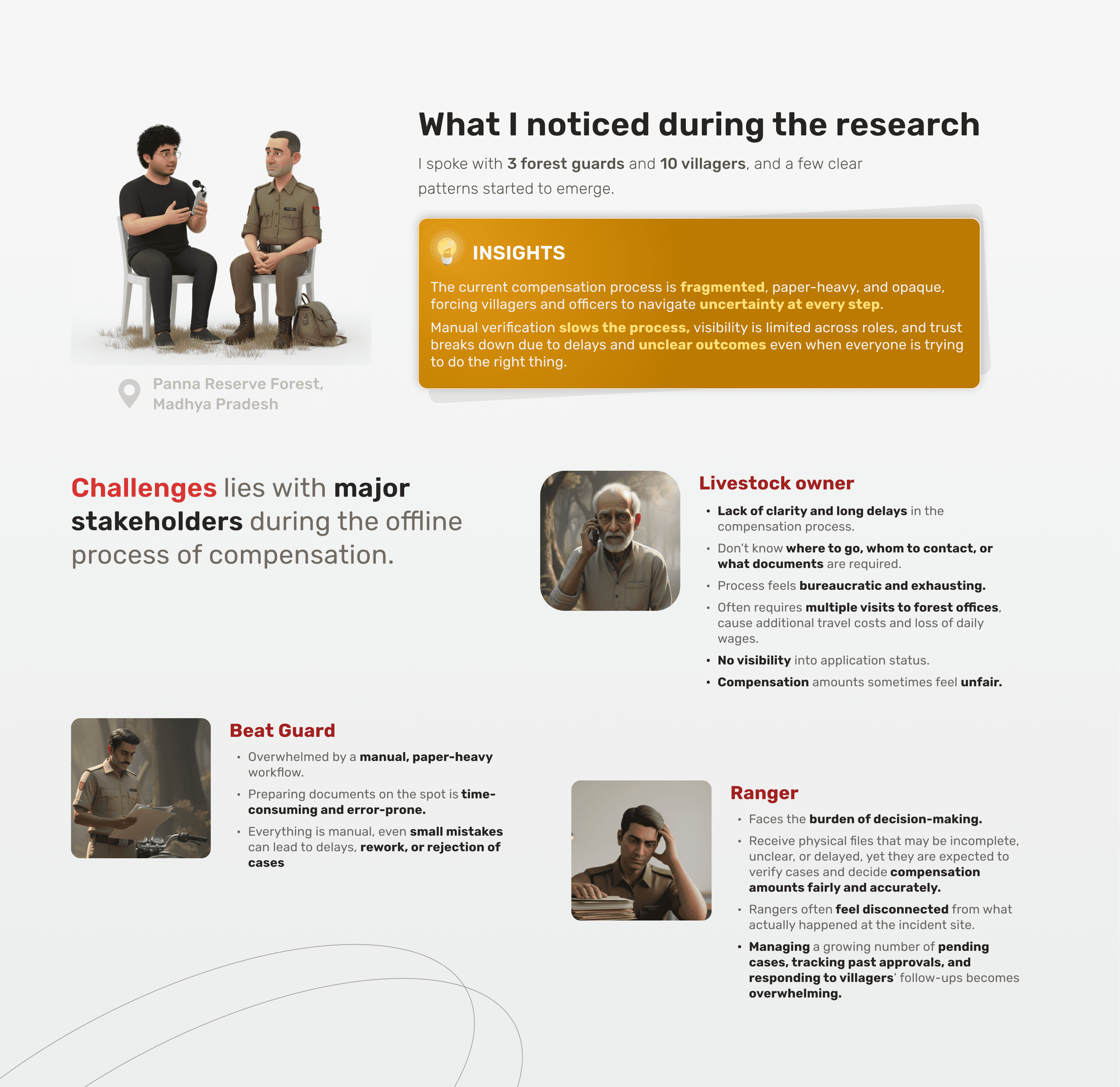
I spoke with 3 forest guards and 10 villagers, and a few clear patterns started to emerge.
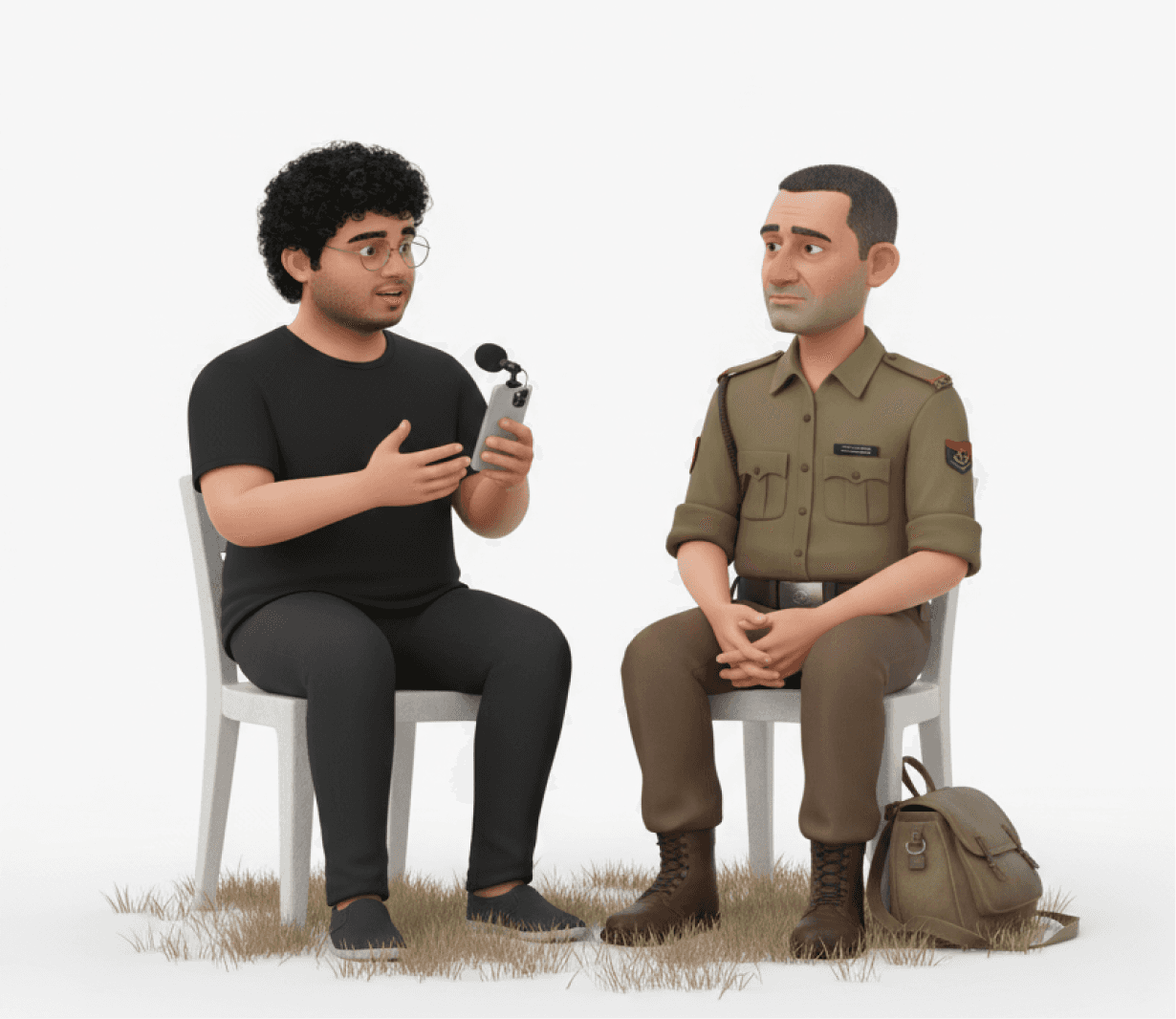
INSIGHTS
The current compensation process is fragmented, paper-heavy, and opaque, forcing villagers and officers to navigate uncertainty at every step.
Manual verification slows the process, visibility is limited across roles, and trust breaks down due to delays and unclear outcomes even when everyone is trying to do the right thing.
Challenges lies with major stakeholders during the offline process of compensation.
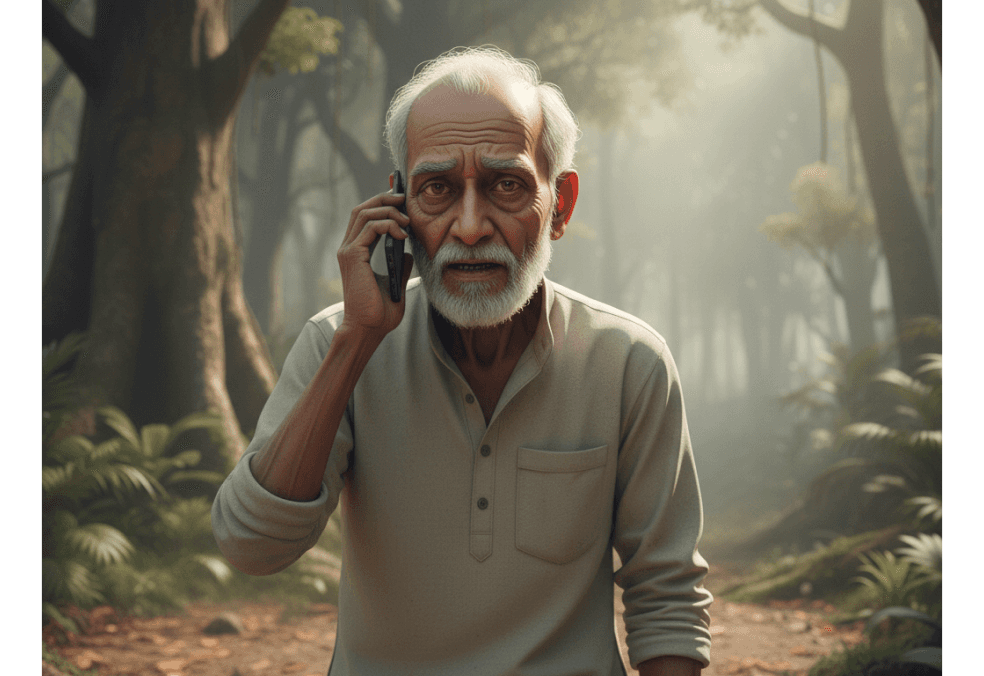
Livestock owner
Lack of clarity and long delays in the compensation process.
Don’t know where to go, whom to contact, or what documents are required.
Process feels bureaucratic and exhausting.
Often requires multiple visits to forest offices, cause additional travel costs and loss of daily wages.
No visibility into application status.
Compensation amounts sometimes feel unfair.
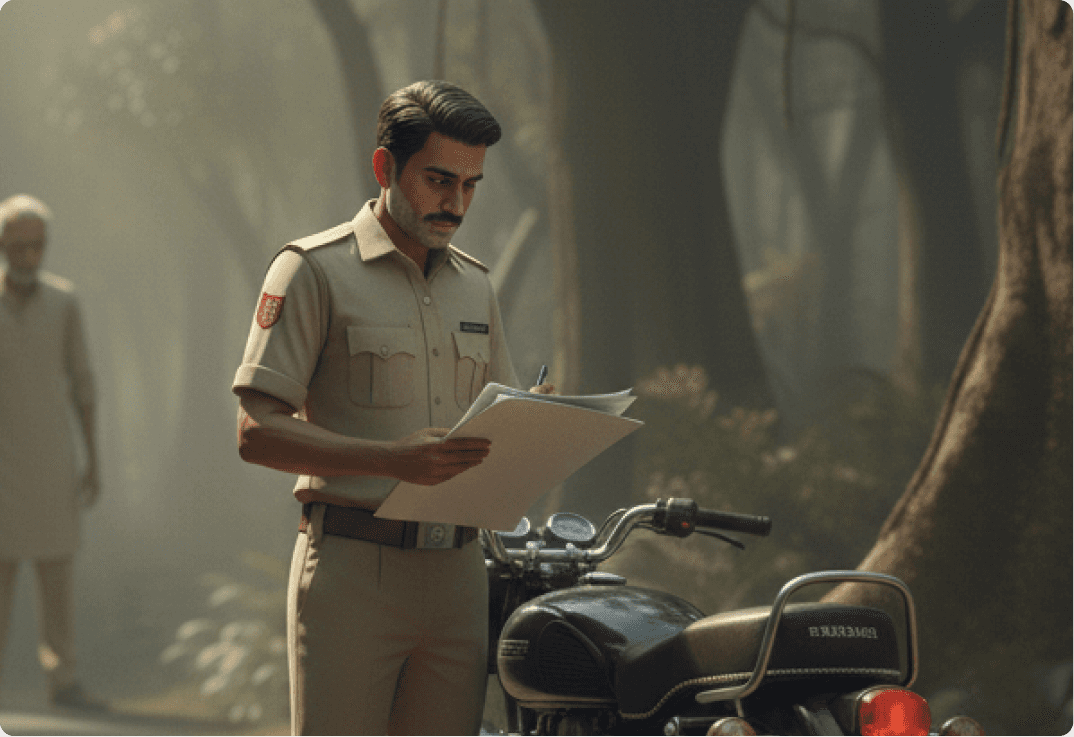
Beat Guard
Overwhelmed by a manual, paper-heavy workflow.
Preparing documents on the spot is time-consuming and error-prone.
Everything is manual, even small mistakes can lead to delays, rework, or rejection of cases

Ranger
Faces the burden of decision-making.
Receive physical files that may be incomplete, unclear, or delayed, yet they are expected to verify cases and decide compensation amounts fairly and accurately.
Rangers often feel disconnected from what actually happened at the incident site.
Managing a growing number of pending cases, tracking past approvals, and responding to villagers’ follow-ups becomes overwhelming.
A quick skip to the solution
A lot of thinking went into this solution. I’ve intentionally skipped the UX processes, flows, and IA used during ideation to keep the story focused and readable
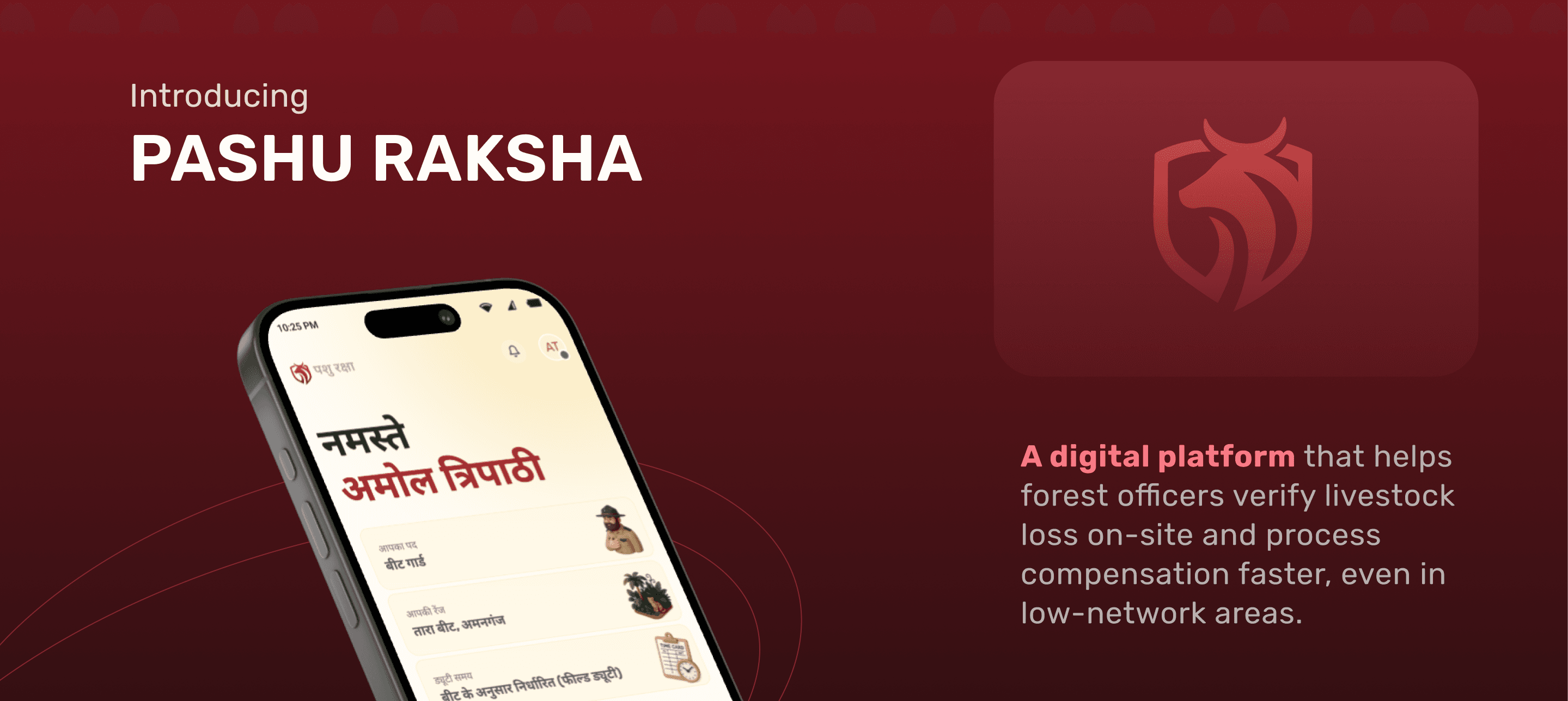
Introducing
PASHU RAKSHA
A digital platform that helps forest officers verify livestock loss on-site and process compensation faster, even in low-network areas.
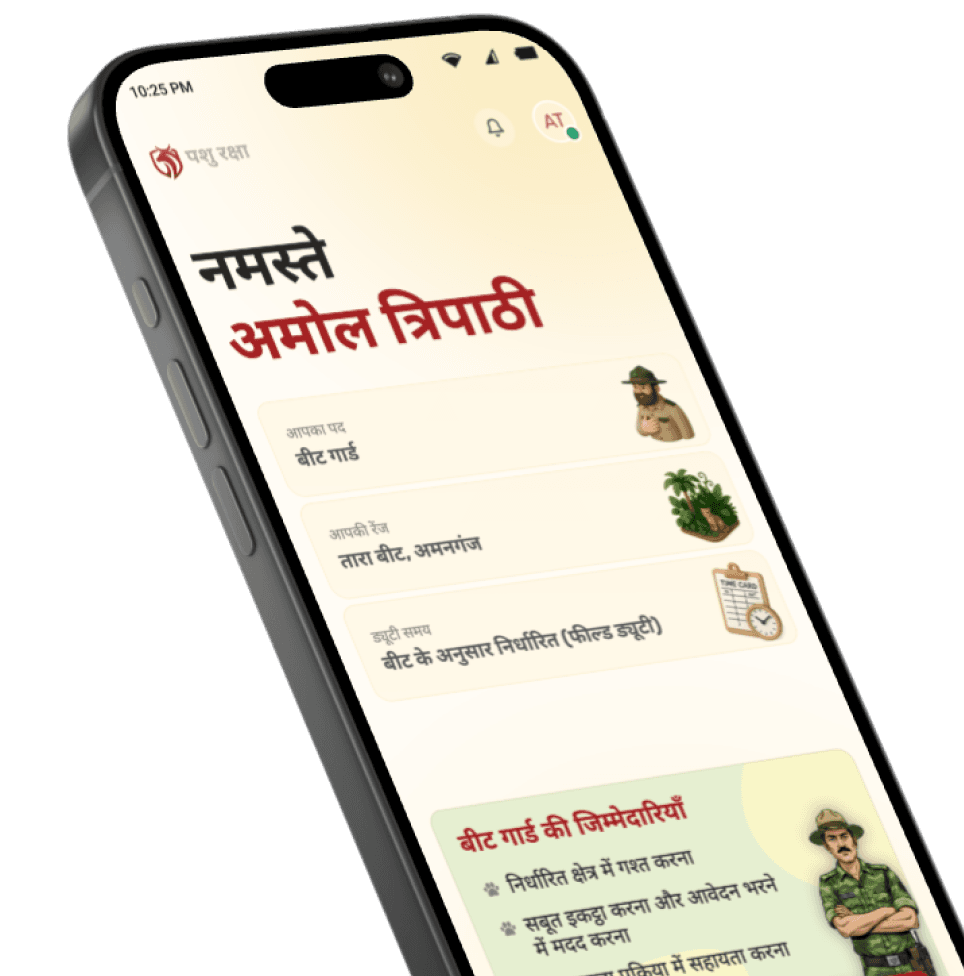
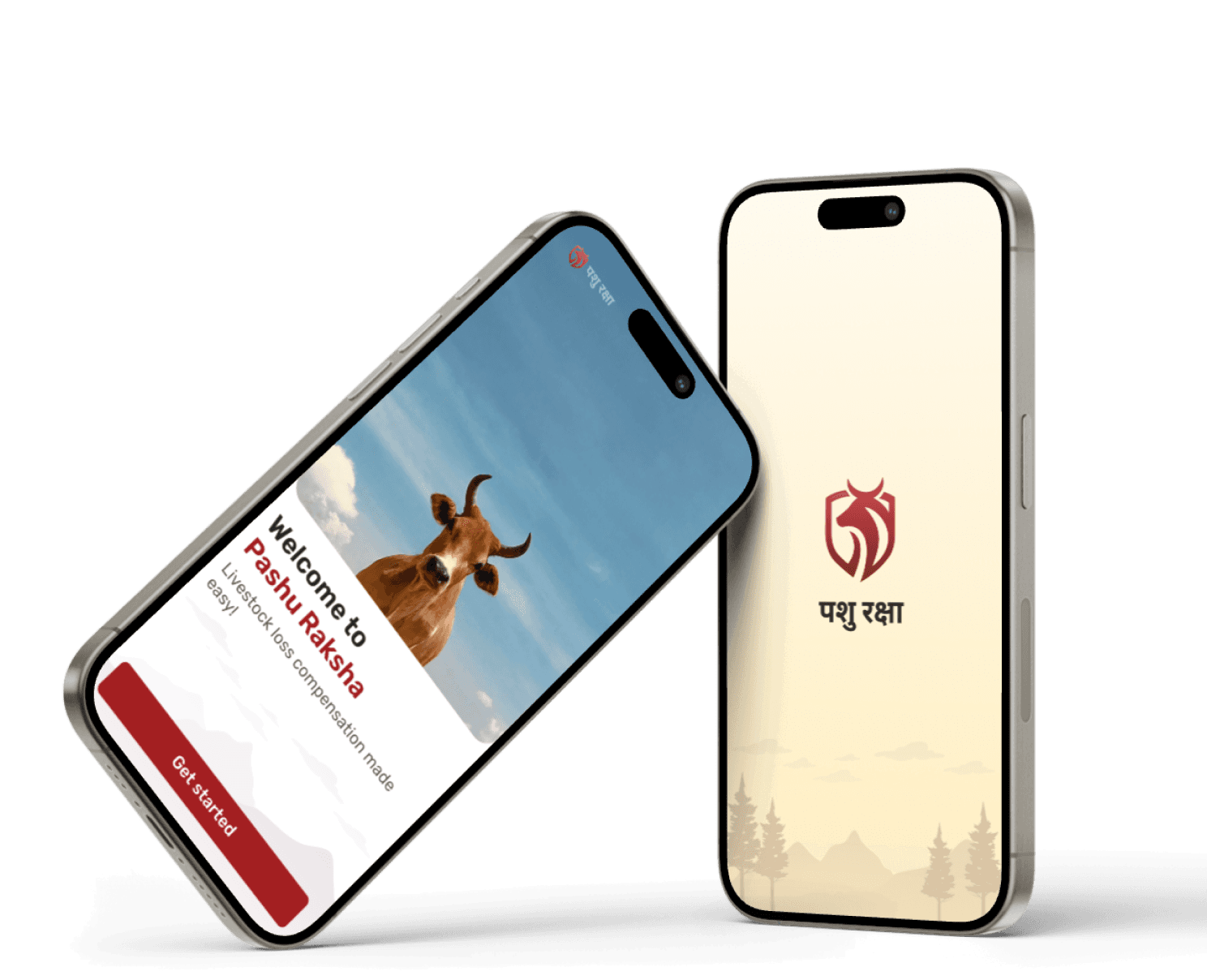

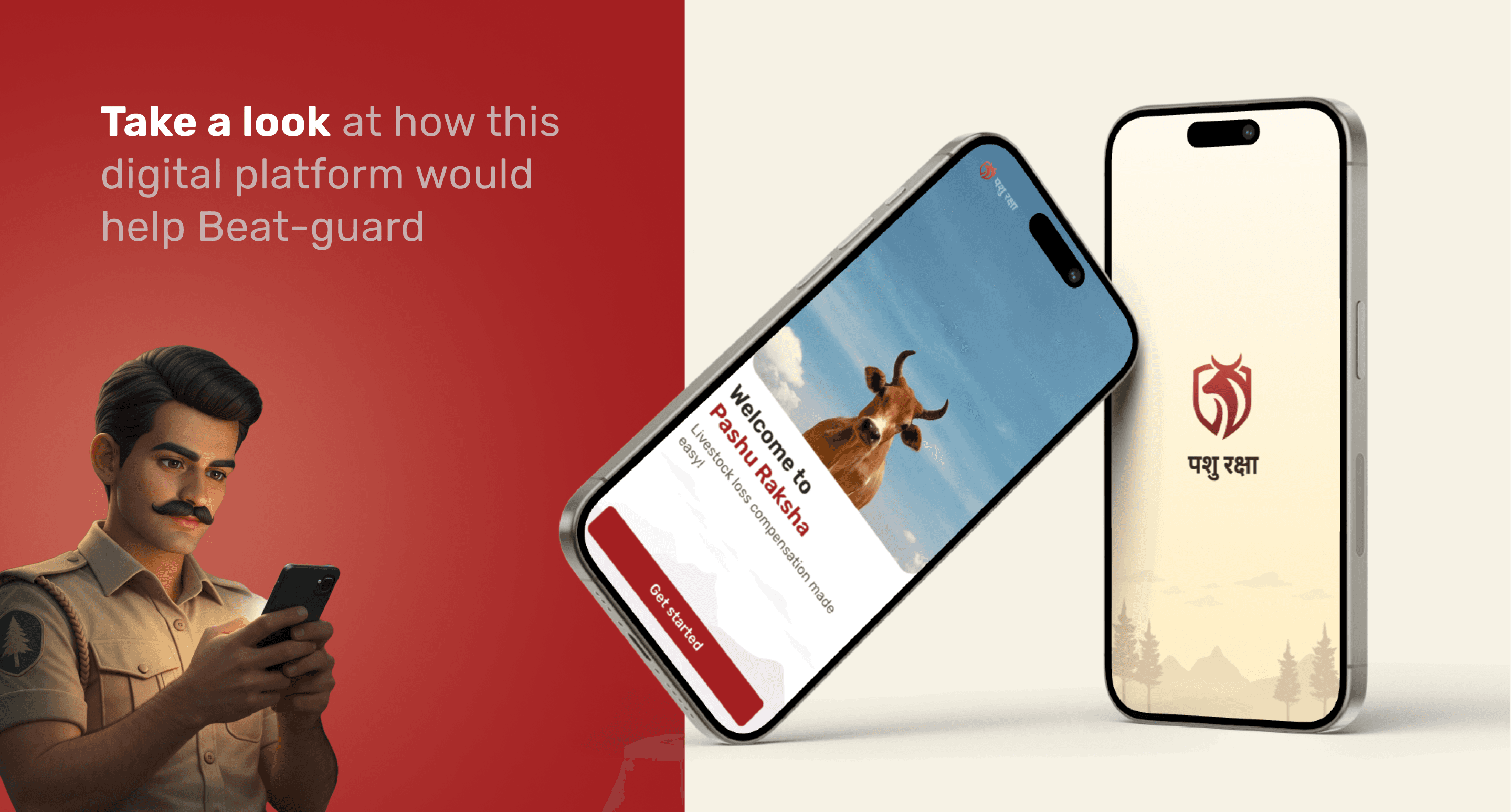
Take a look at how this digital platform would help Beat-guard
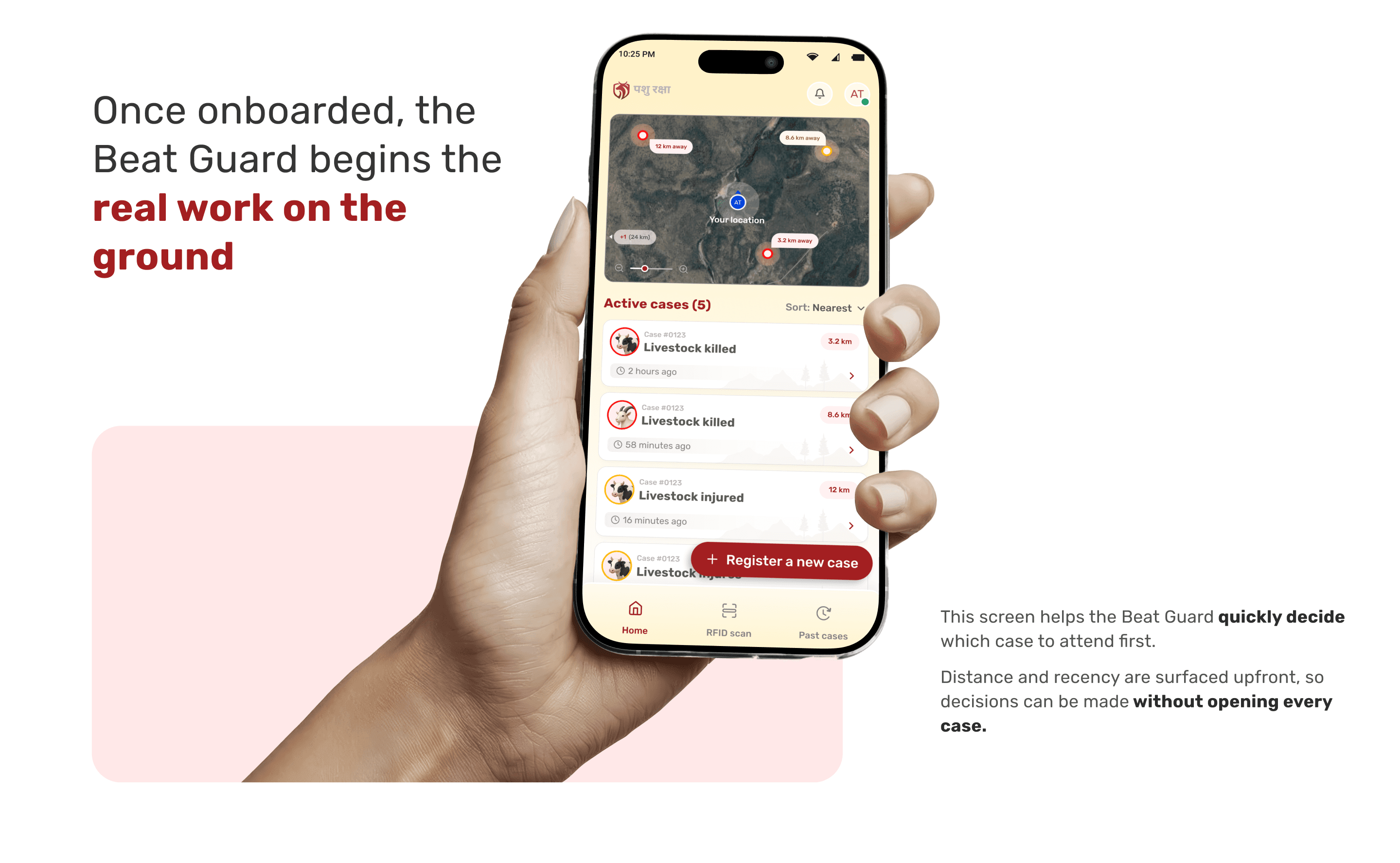
Once onboarded, the Beat Guard begins the real work on the ground
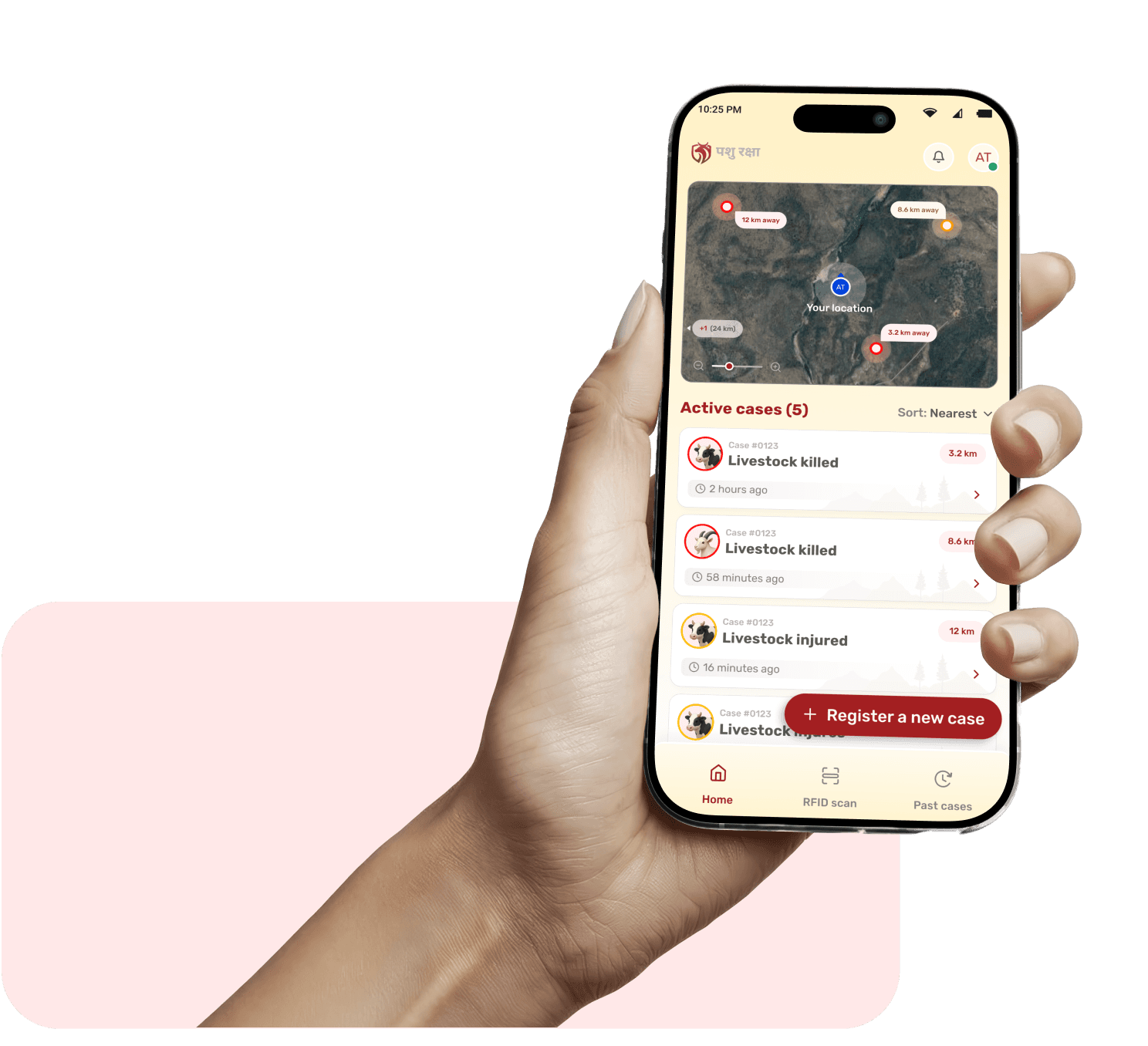
This screen helps the Beat Guard quickly decide which case to attend first.
Distance and recency are surfaced upfront, so decisions can be made without opening every case.
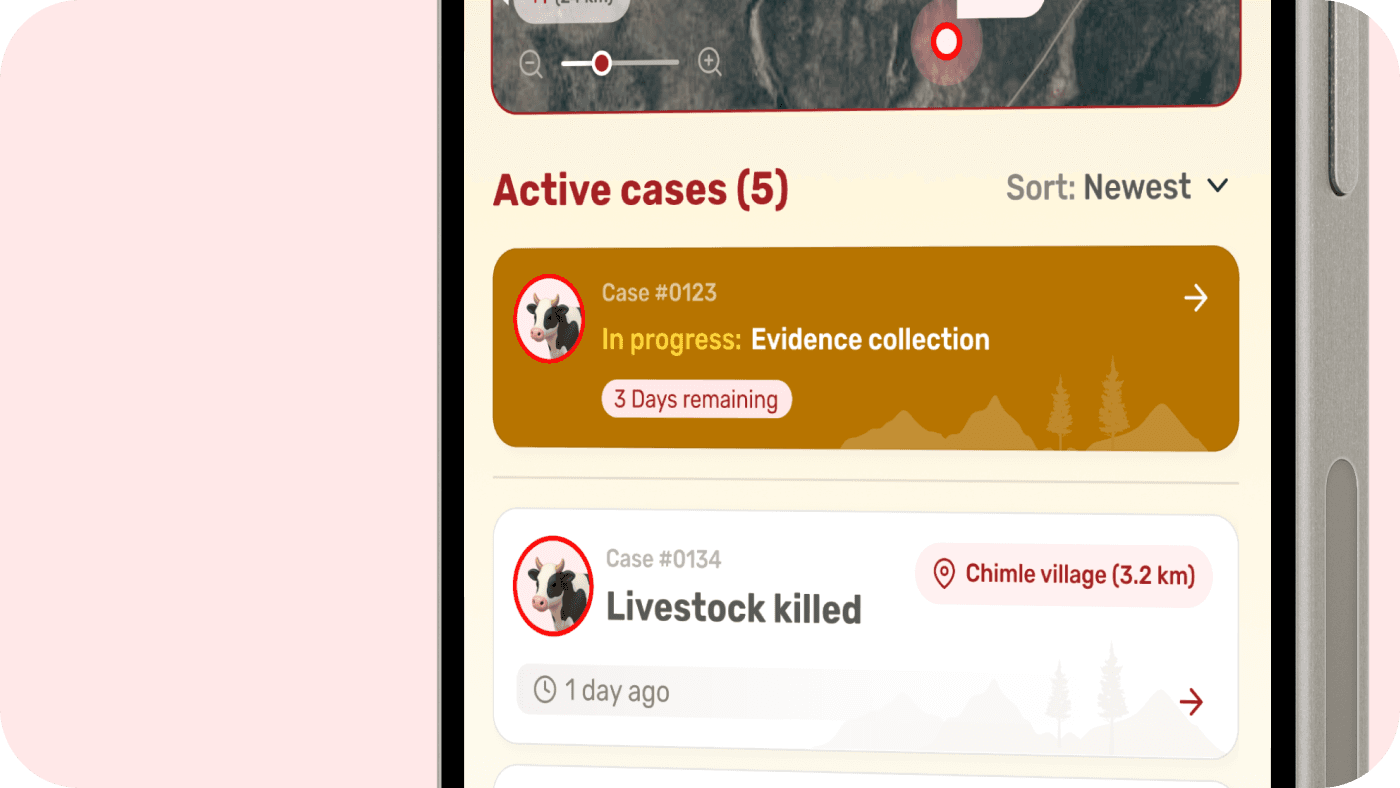
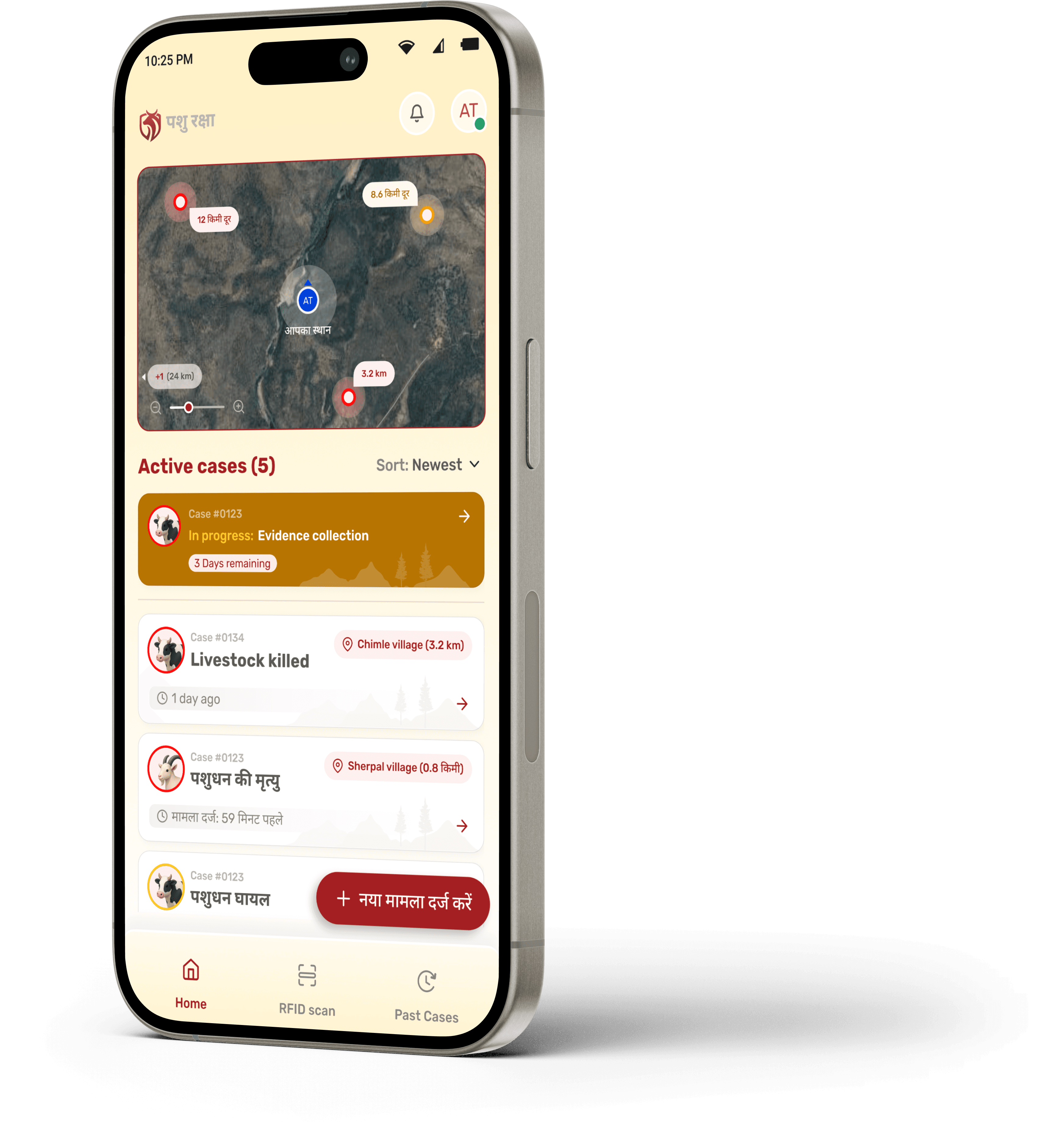
Ongoing cases are clearly highlighted at the top to prevent delays and context switching. If a Beat Guard has already accepted a case, it appears as “In Progress” and is visually prioritised.
This ensures focus, accountability, and timely completion within the defined deadline.
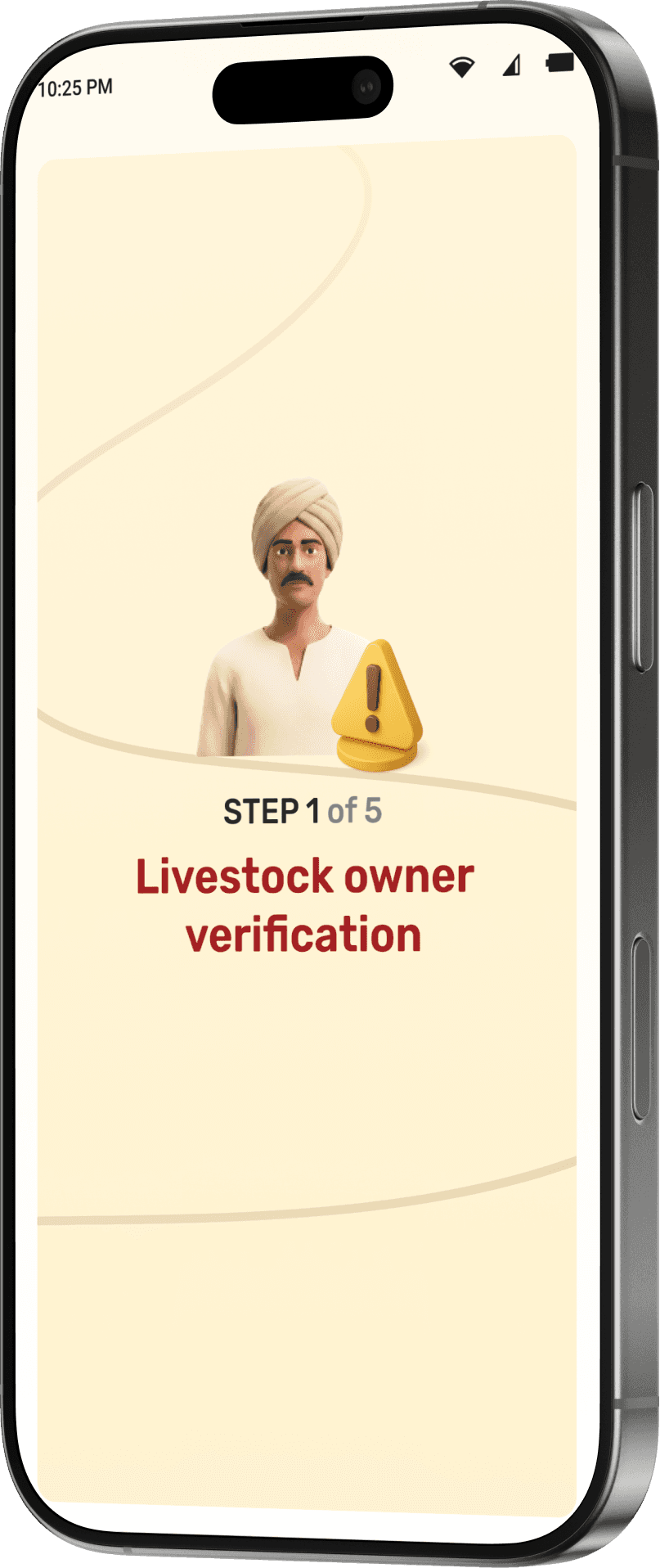
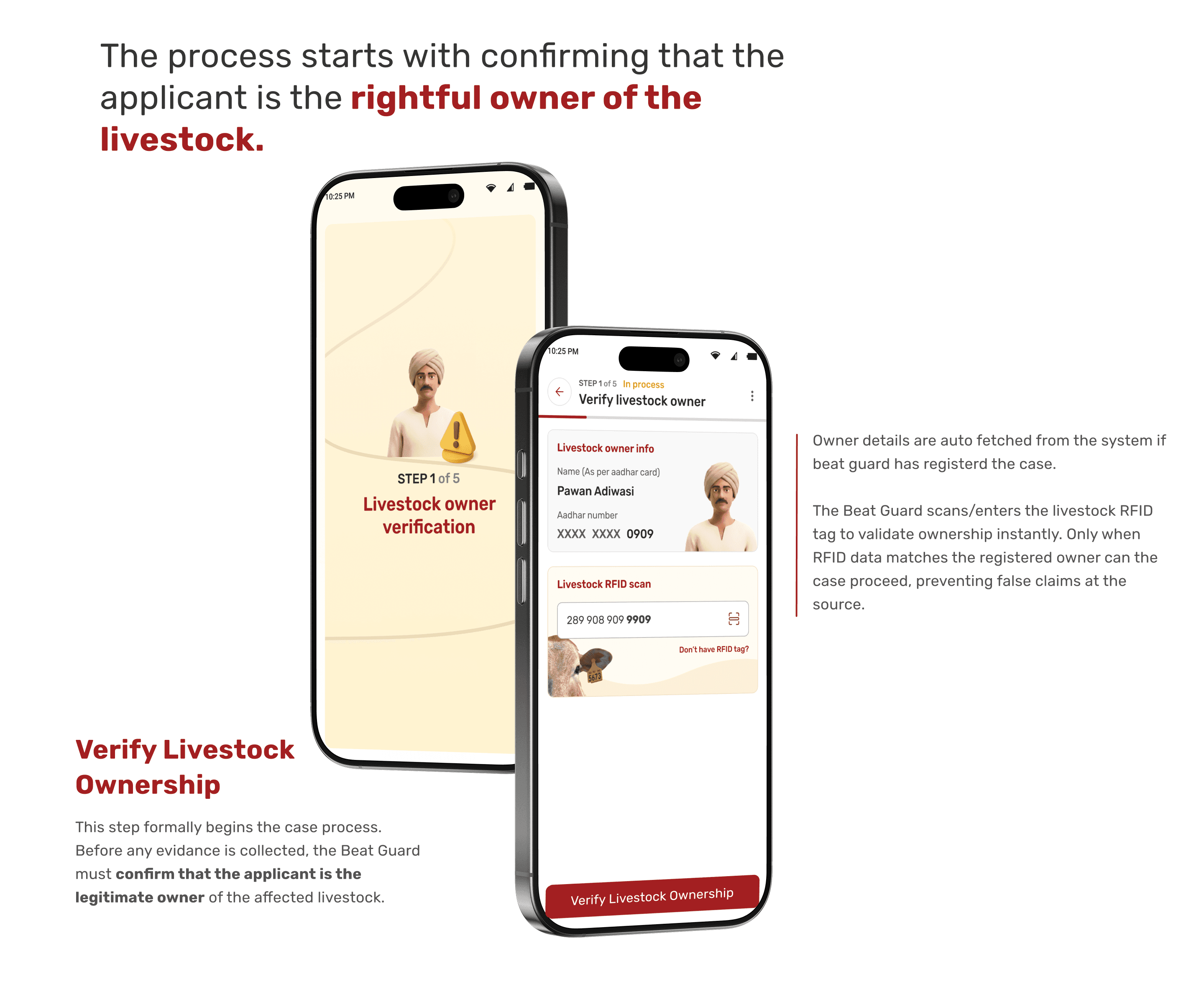
The process starts with confirming that the applicant is the rightful owner of the livestock.
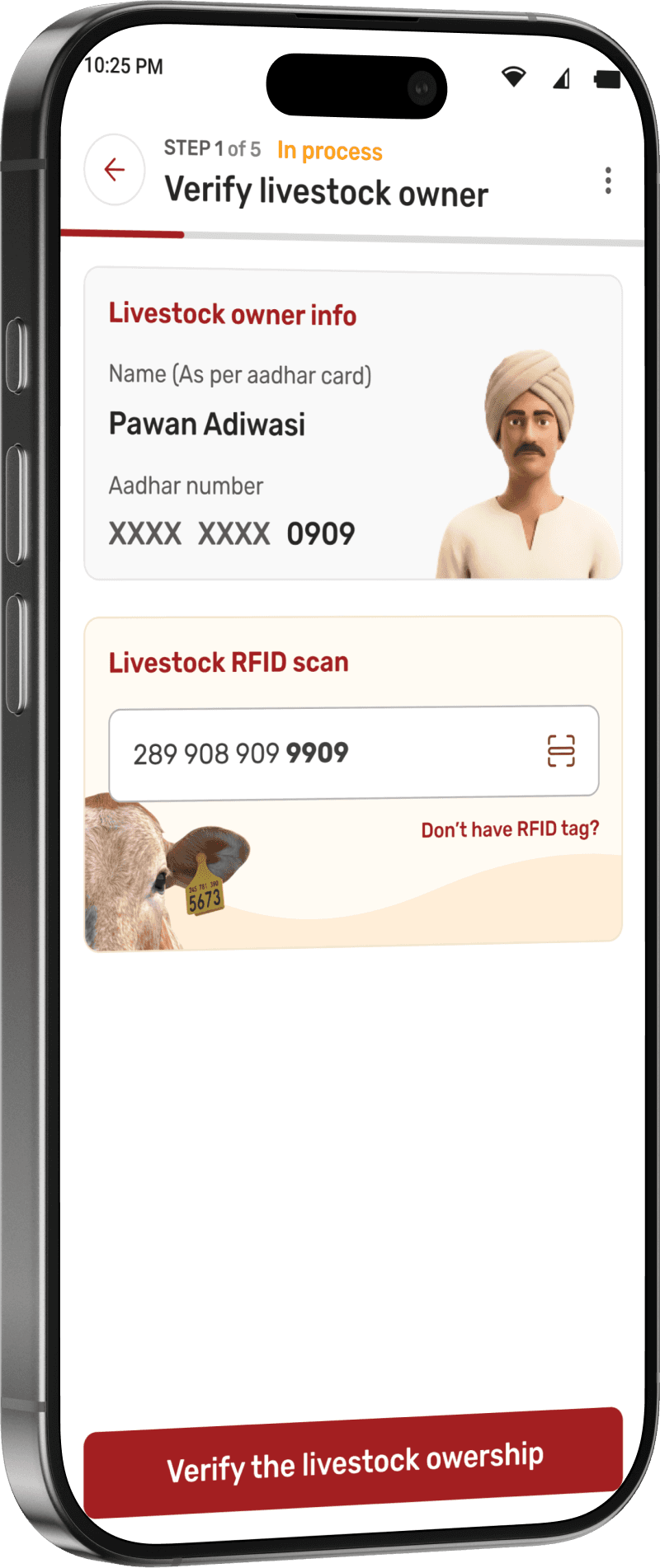
Verify Livestock Ownership
This step formally begins the case process.
Before any evidance is collected, the Beat Guard must confirm that the applicant is the legitimate owner of the affected livestock.
Owner details are auto fetched from the system if beat guard has registerd the case.
The Beat Guard scans/enters the livestock RFID tag to validate ownership instantly. Only when RFID data matches the registered owner can the case proceed, preventing false claims at the source.
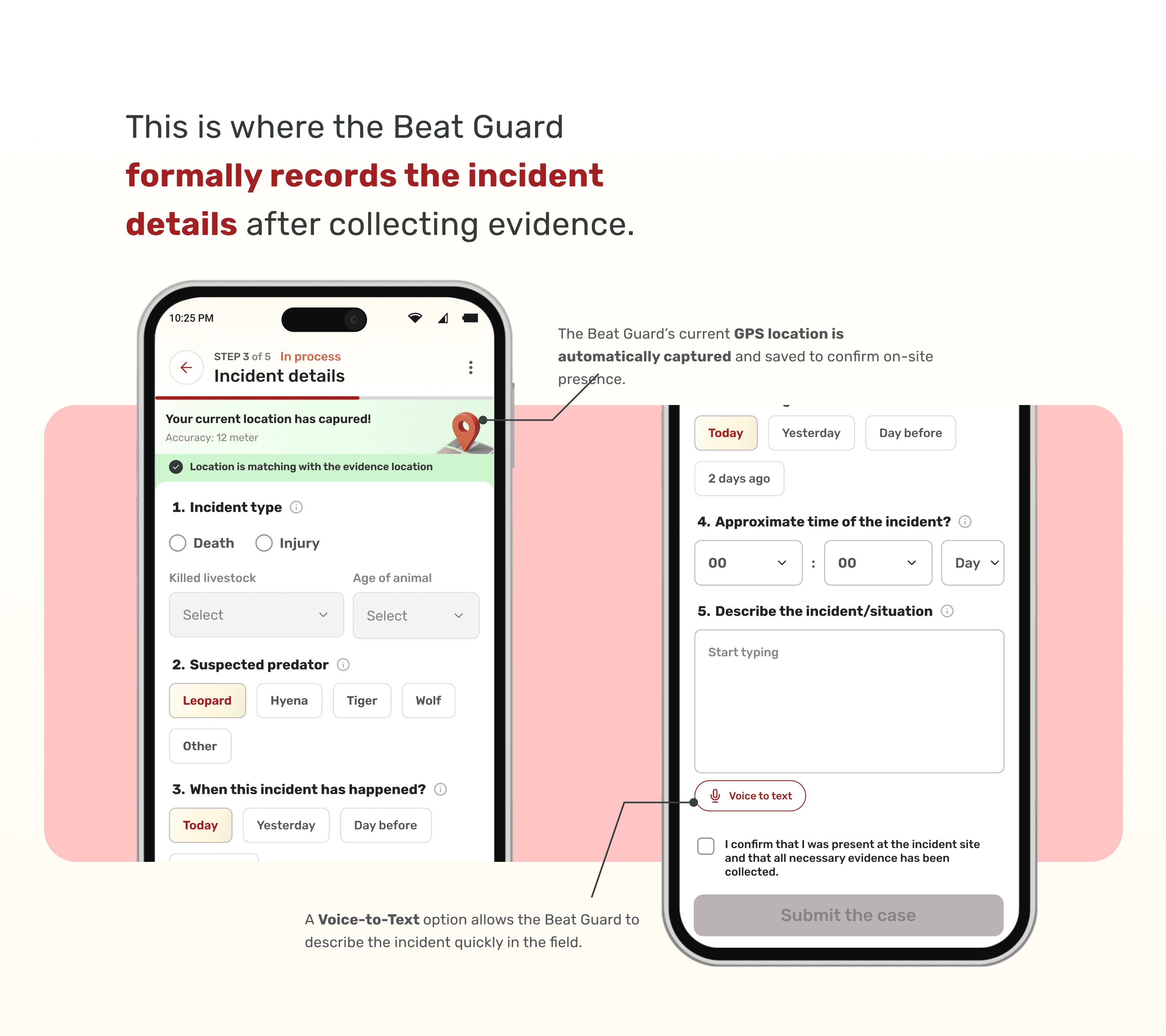
This is where the Beat Guard formally records the incident details after collecting evidence.
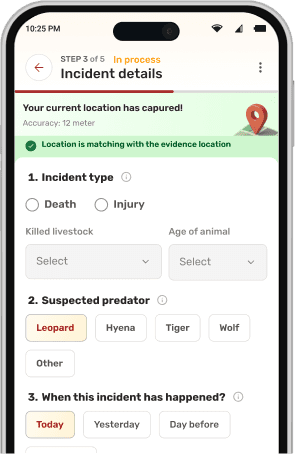
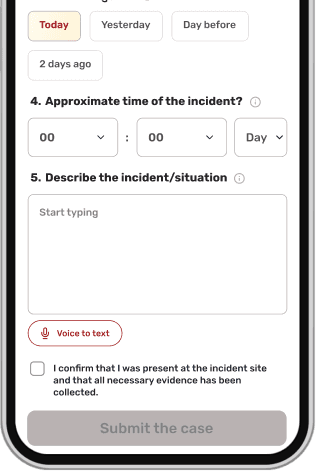
The Beat Guard’s current GPS location is automatically captured and saved to confirm on-site presence.
A Voice-to-Text option allows the Beat Guard to describe the incident quickly in the field.
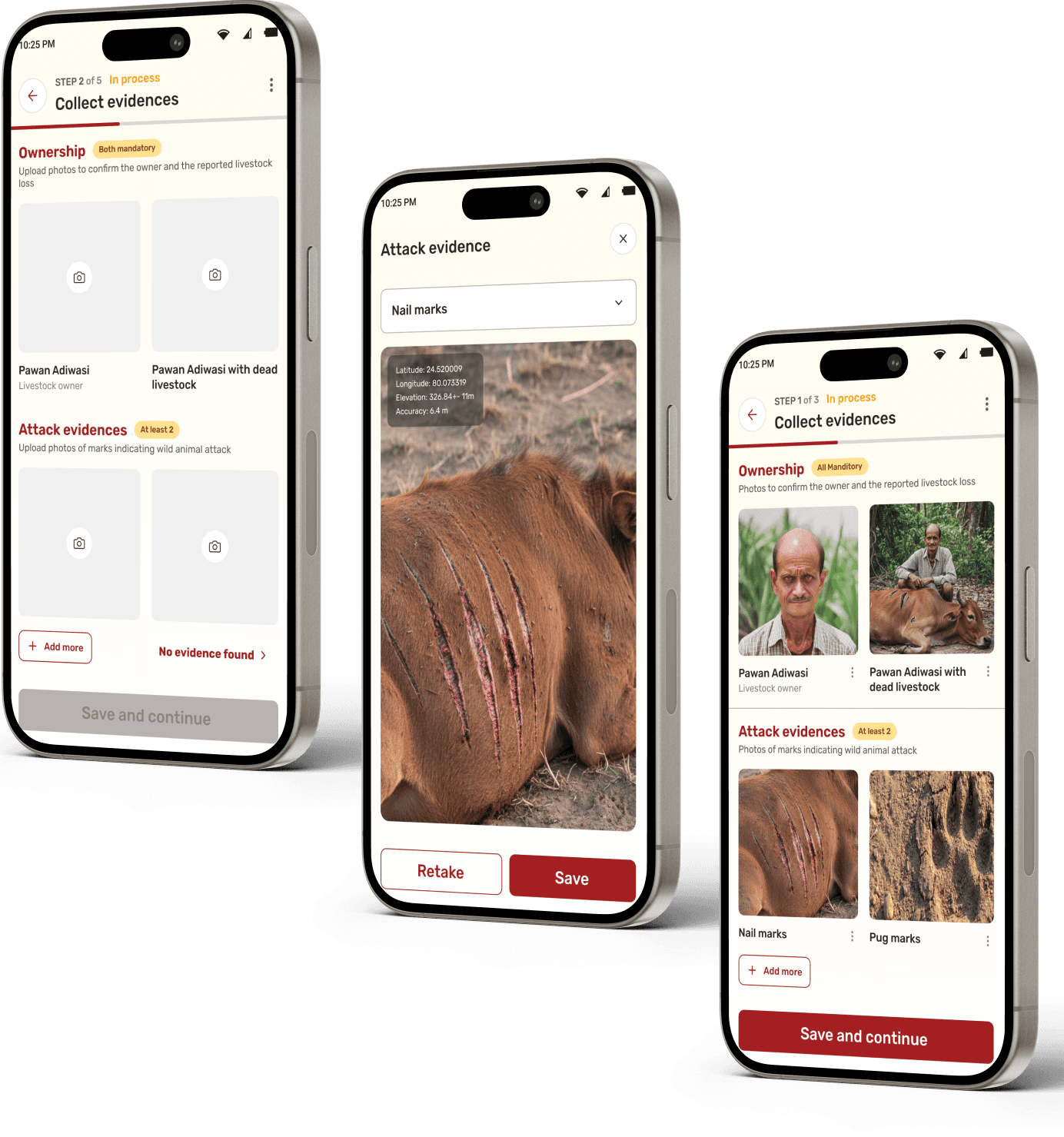
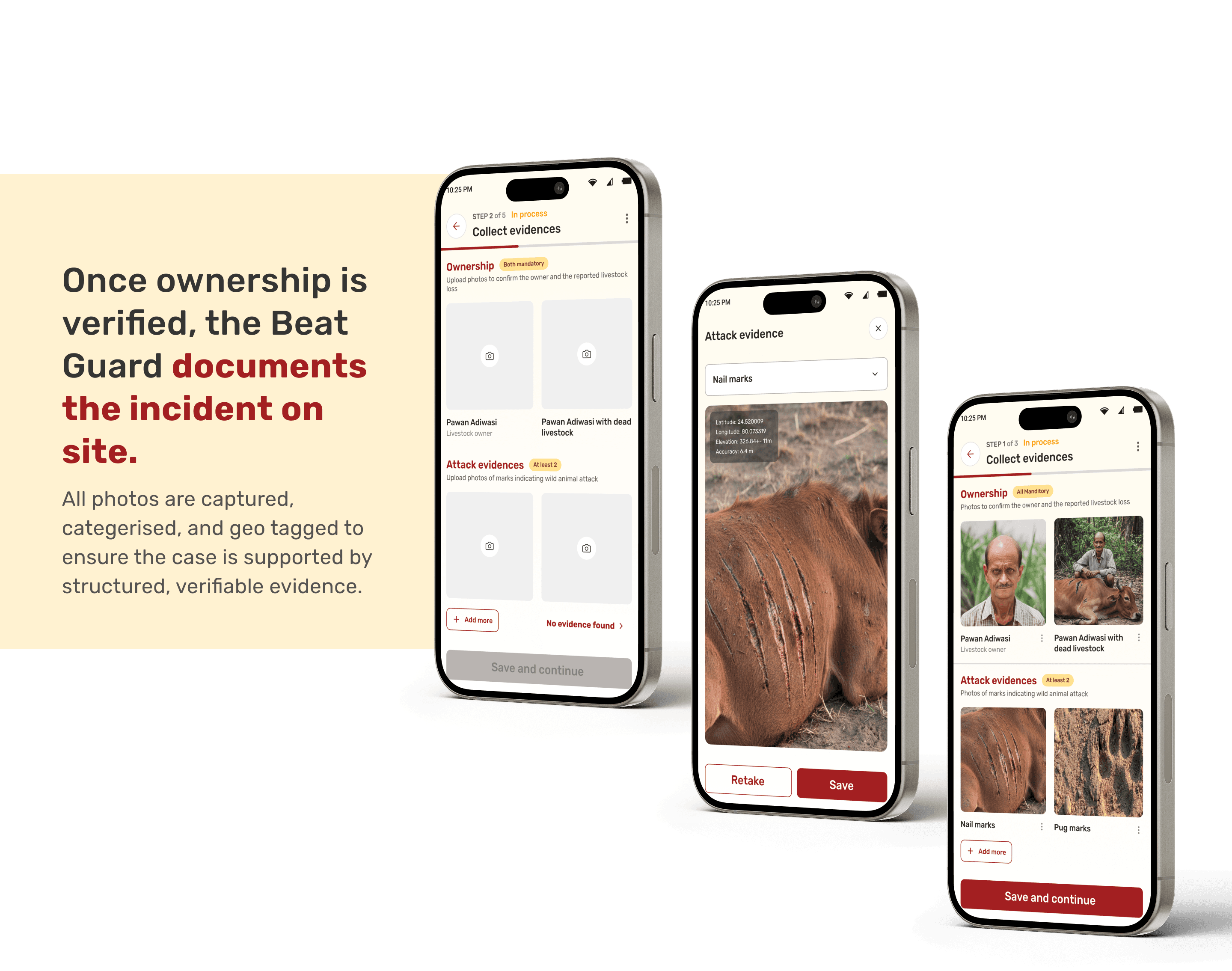
Once ownership is verified, the Beat Guard documents the incident on site.
All photos are captured, categerised, and geo tagged to ensure the case is supported by structured, verifiable evidence.
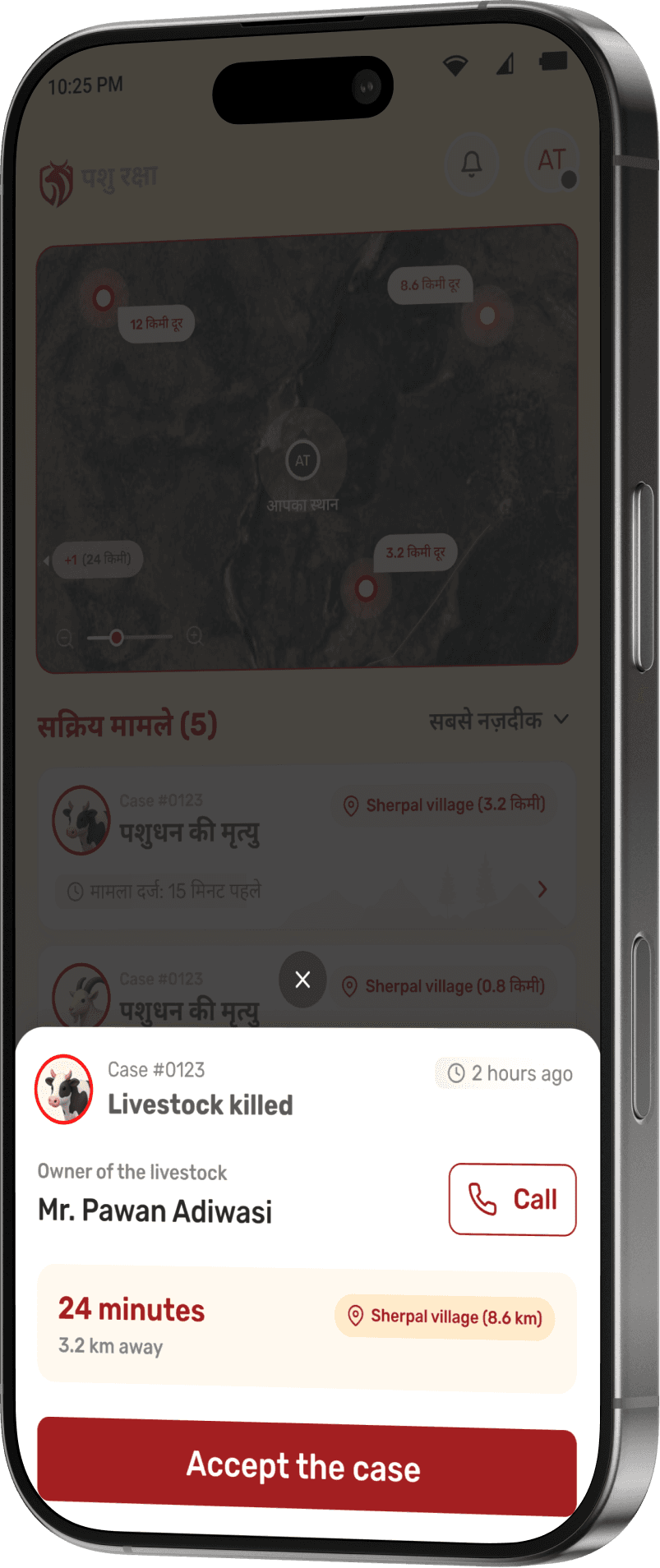
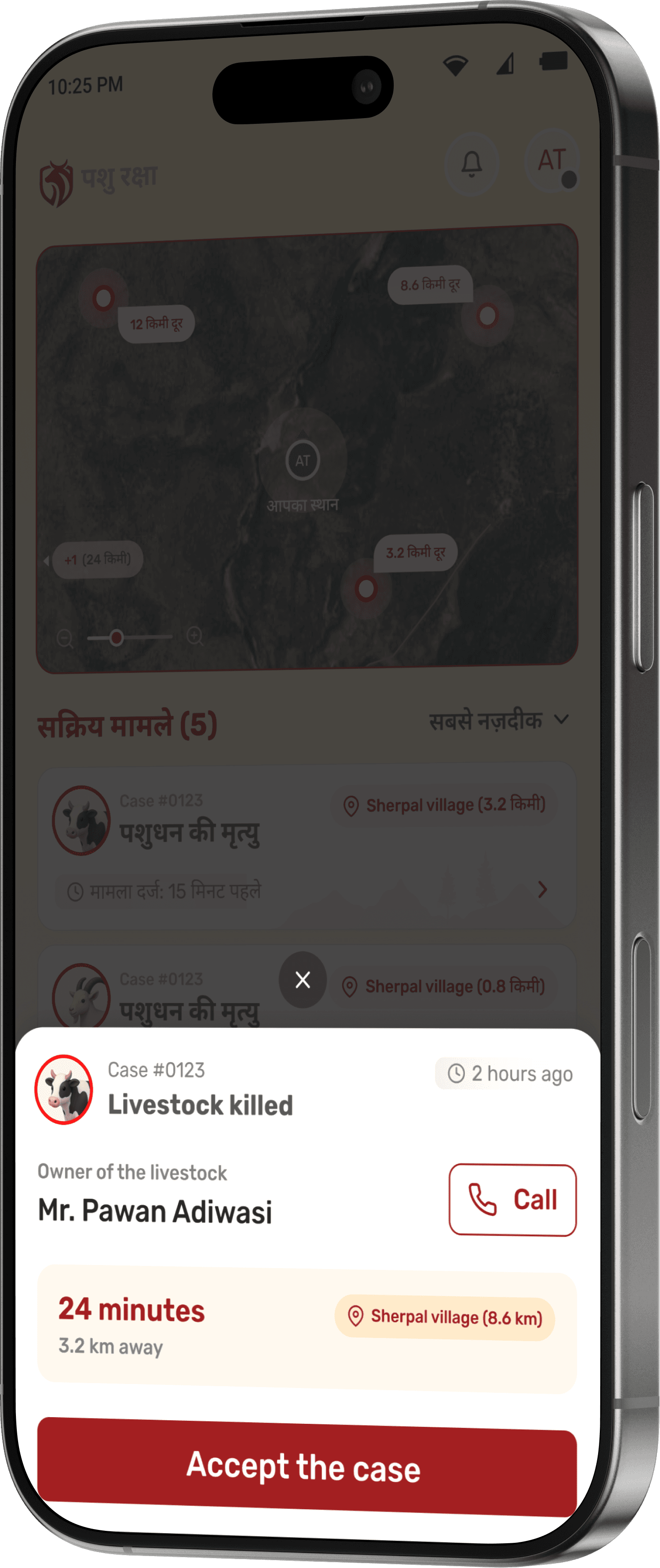
Case acceptance is treated as a deliberate decision. Before opening full details, the Beat Guard sees a quick case summary with owner contact and distance.
This modal acts as a checkpoint, once accepted, the case is locked to the Beat Guard and must be completed.
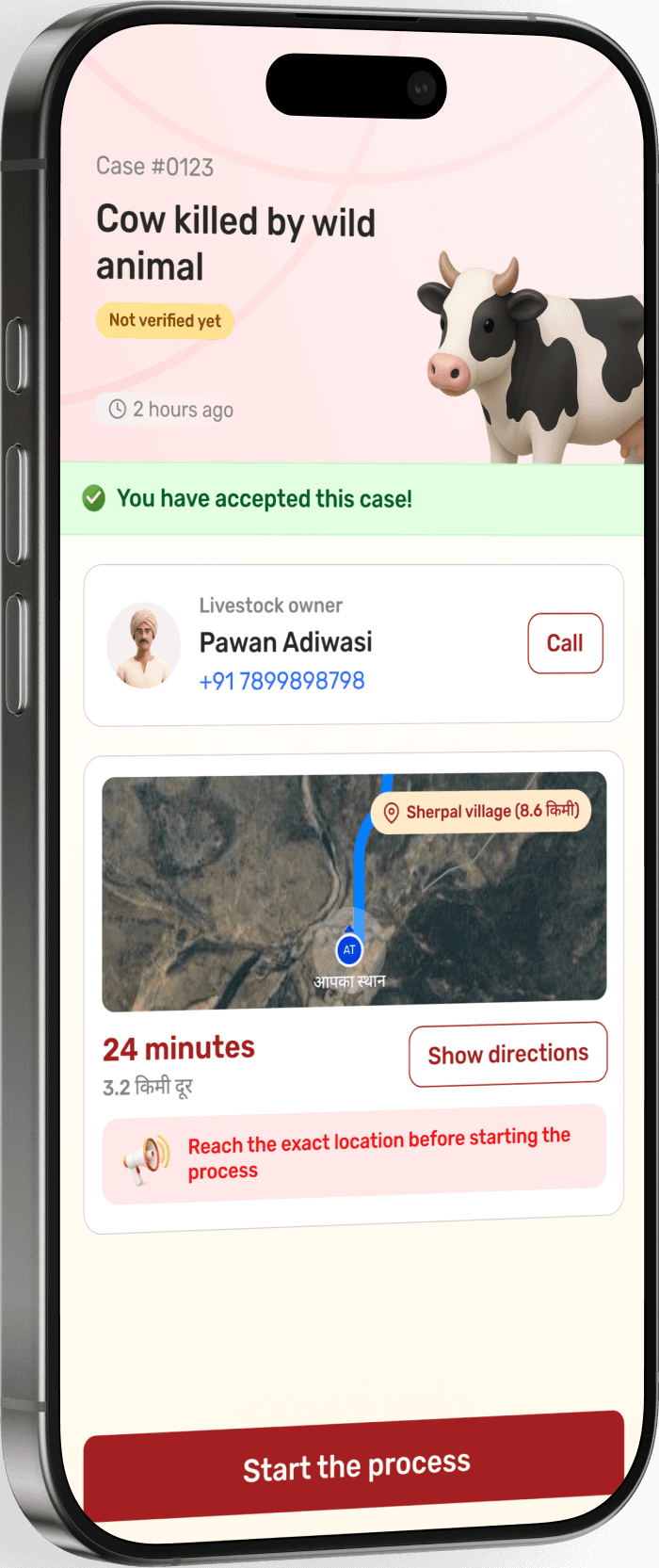
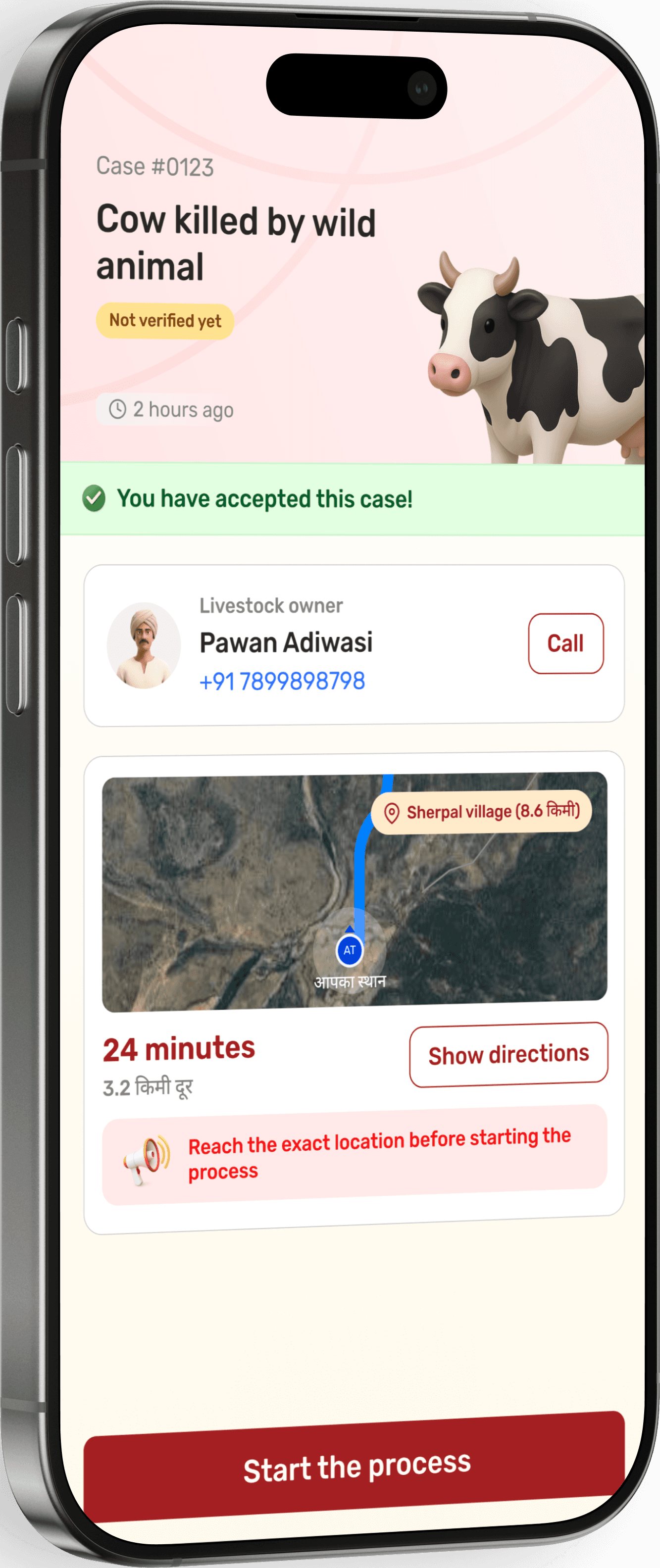
After accepting the case, the Beat Guard gets full context before starting field work.
Owner details, contact access, live distance, and navigation are surfaced upfront to support on ground movement.
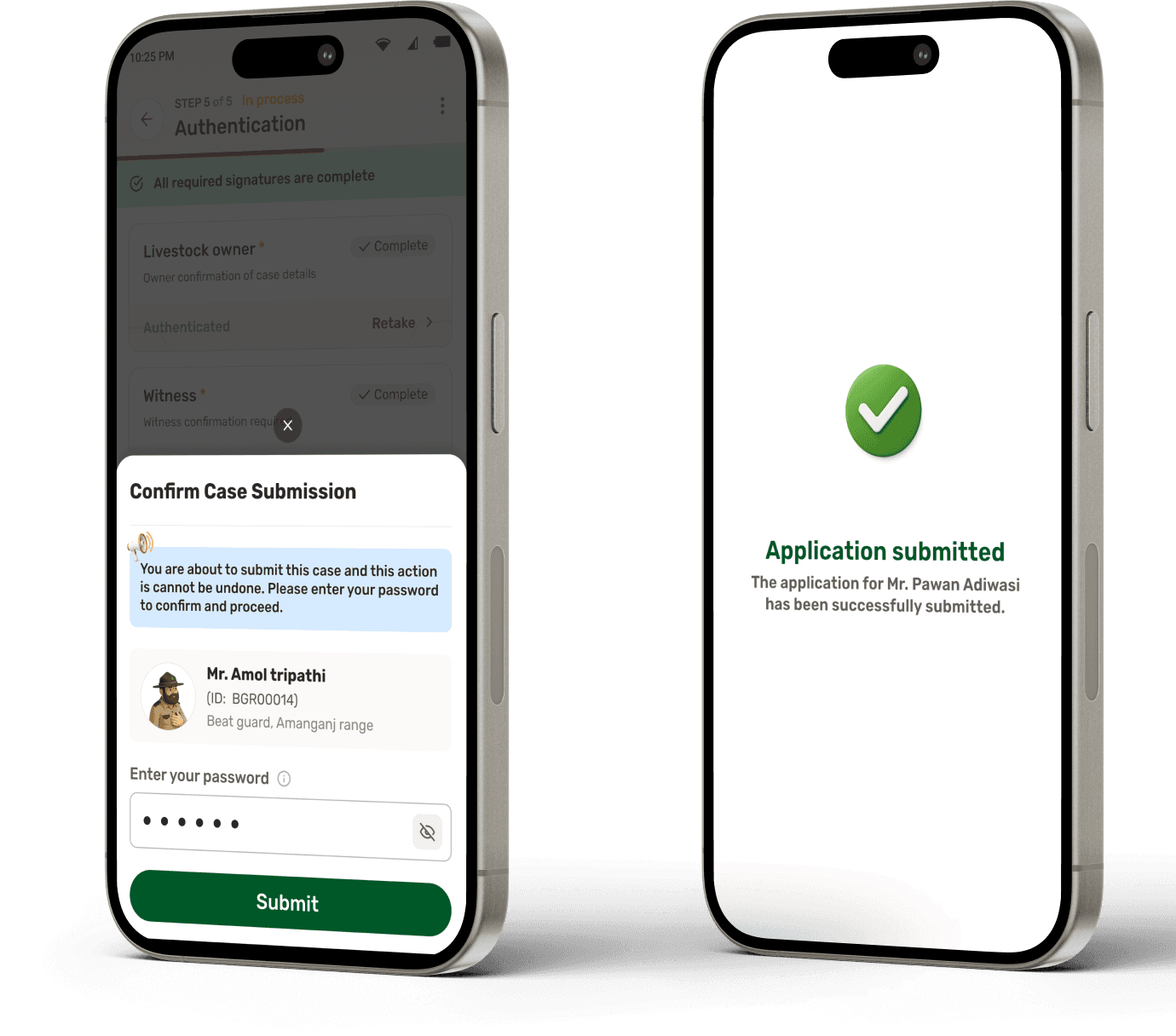
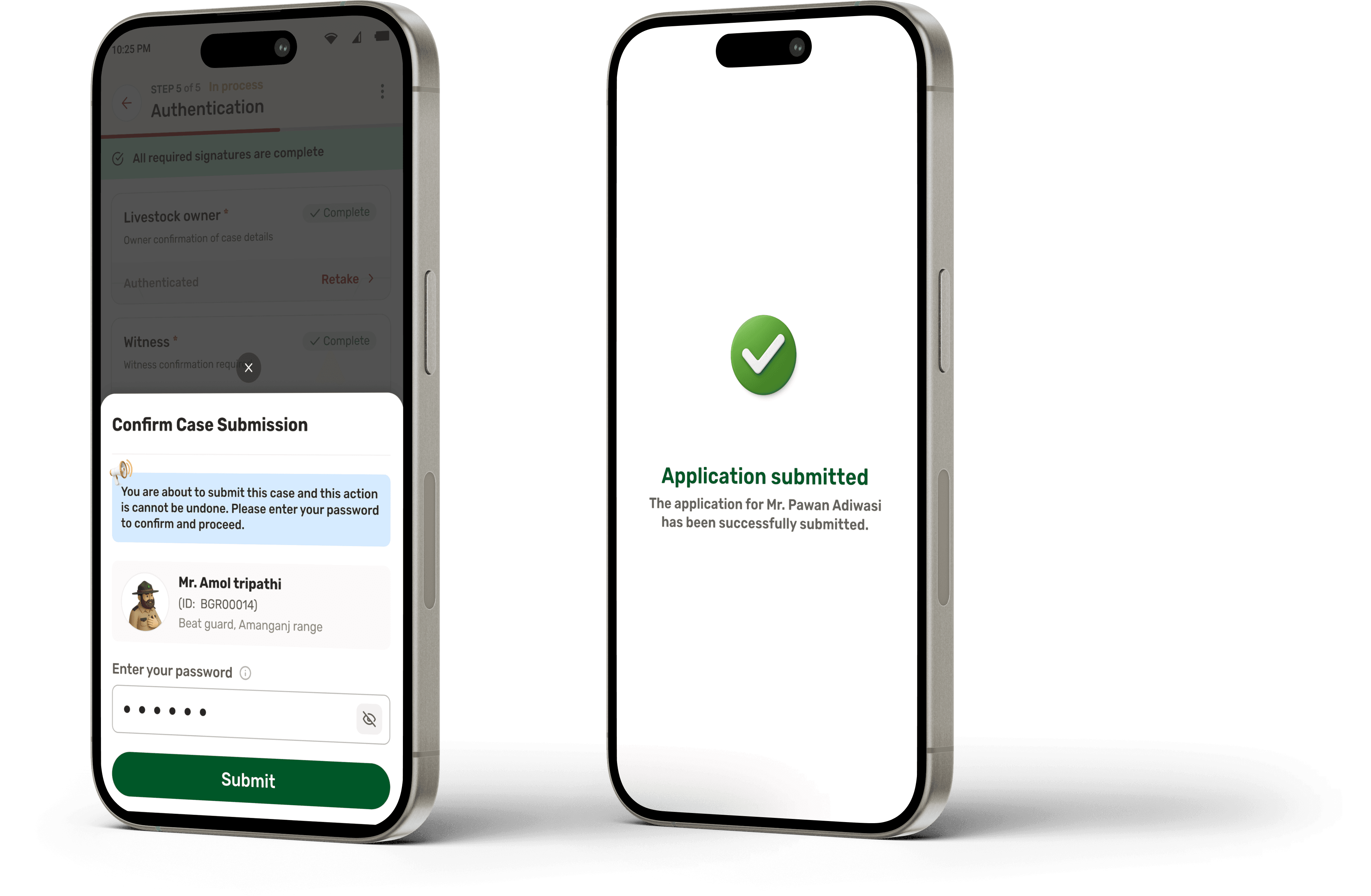
To maintain accountability and prevent misuse, case submission requires password re-confirmation!
This ensures intentional submission, avoids accidental closures, and establishes clear responsibility of the assigned Beat Guard.
Upon confirmation, the case is automatically routed to the Ranger’s review queue for evaluation and approval.



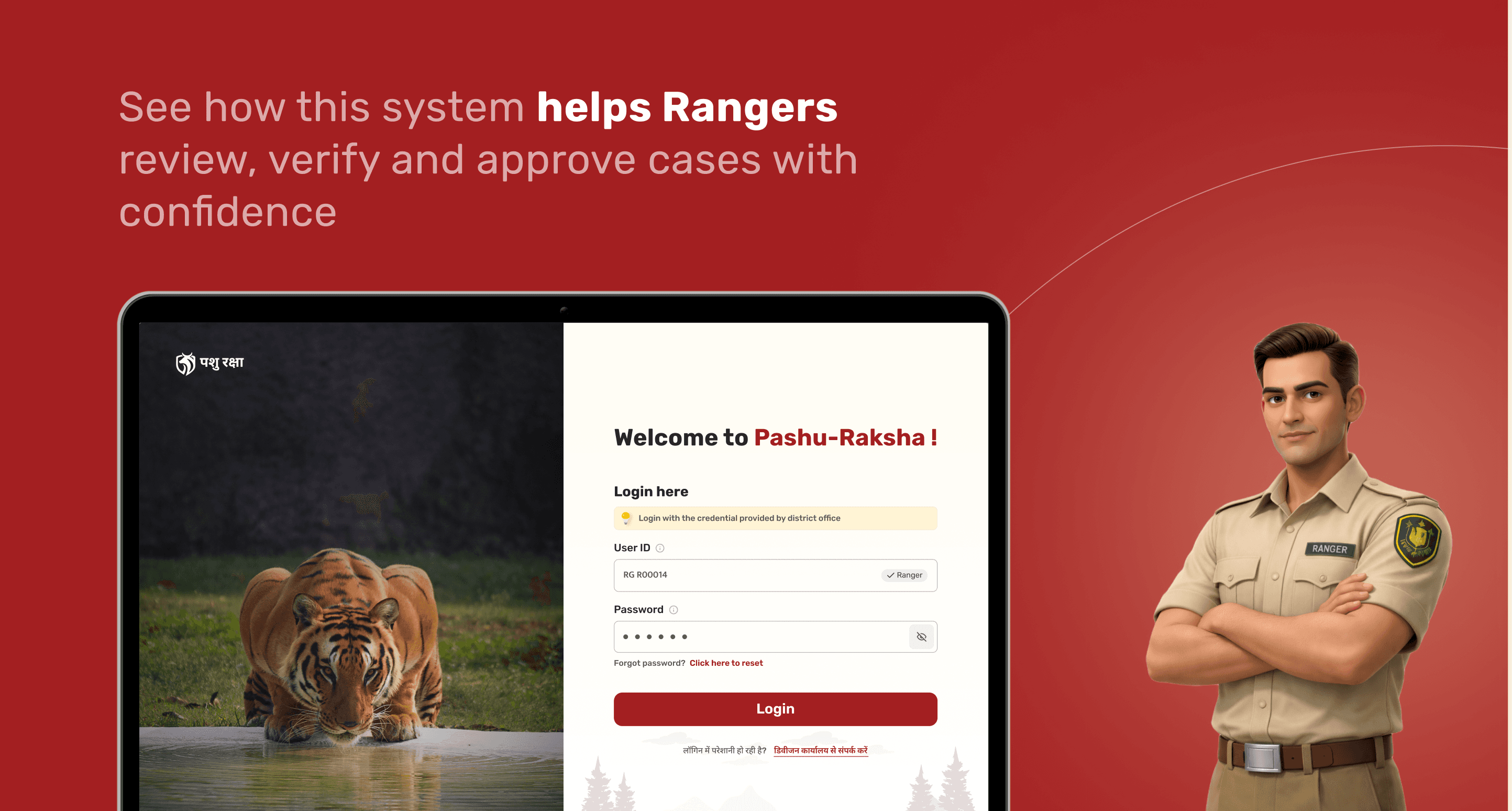
Welcome to Pashu-Raksha !
Login here

Login with the credential provided by district office
User ID
RG R00014
Ranger
Password
Forgot password?
Click here to reset
Login
लॉगिन में परेशानी हो रही है?
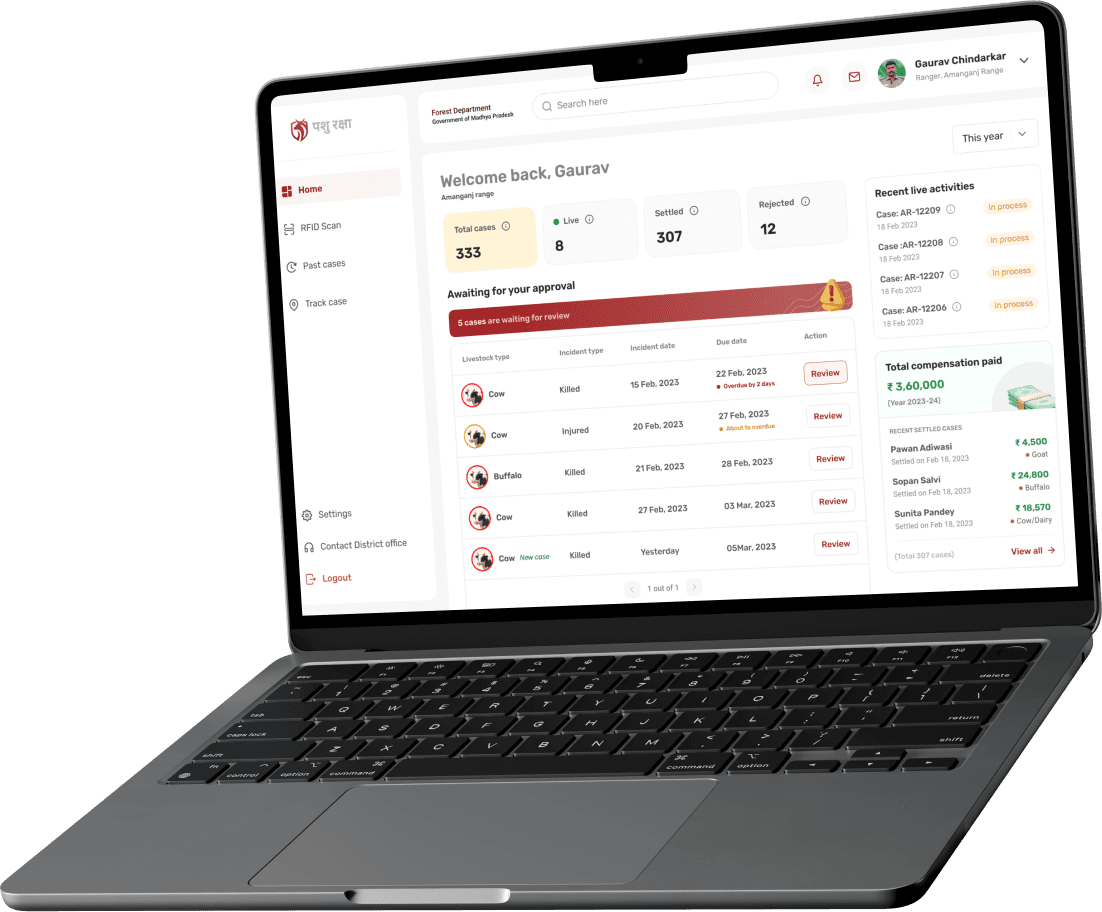
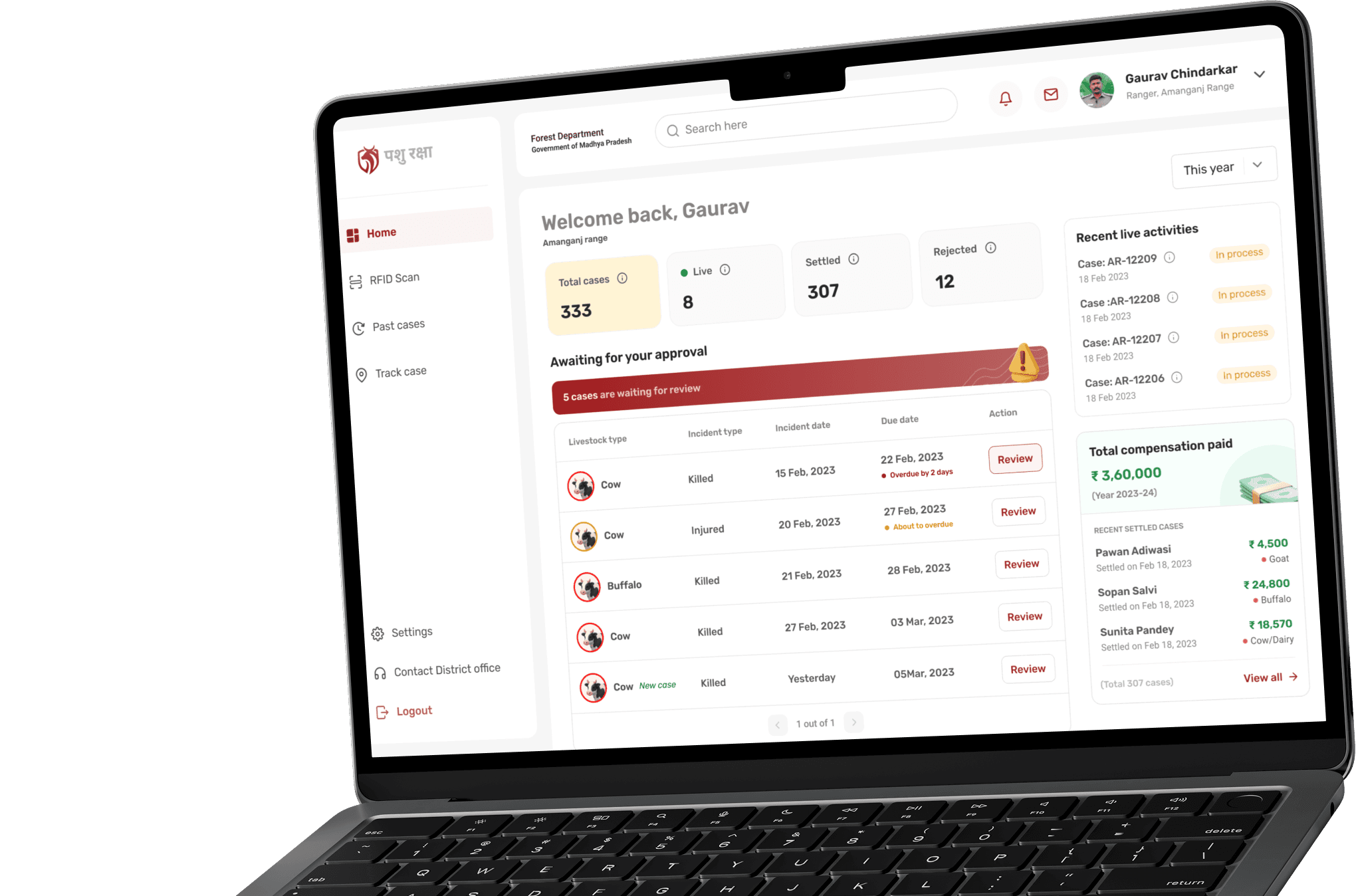
After logging in, the Ranger lands on a centralised dashboard that gives a clear, consolidated view of all case activities
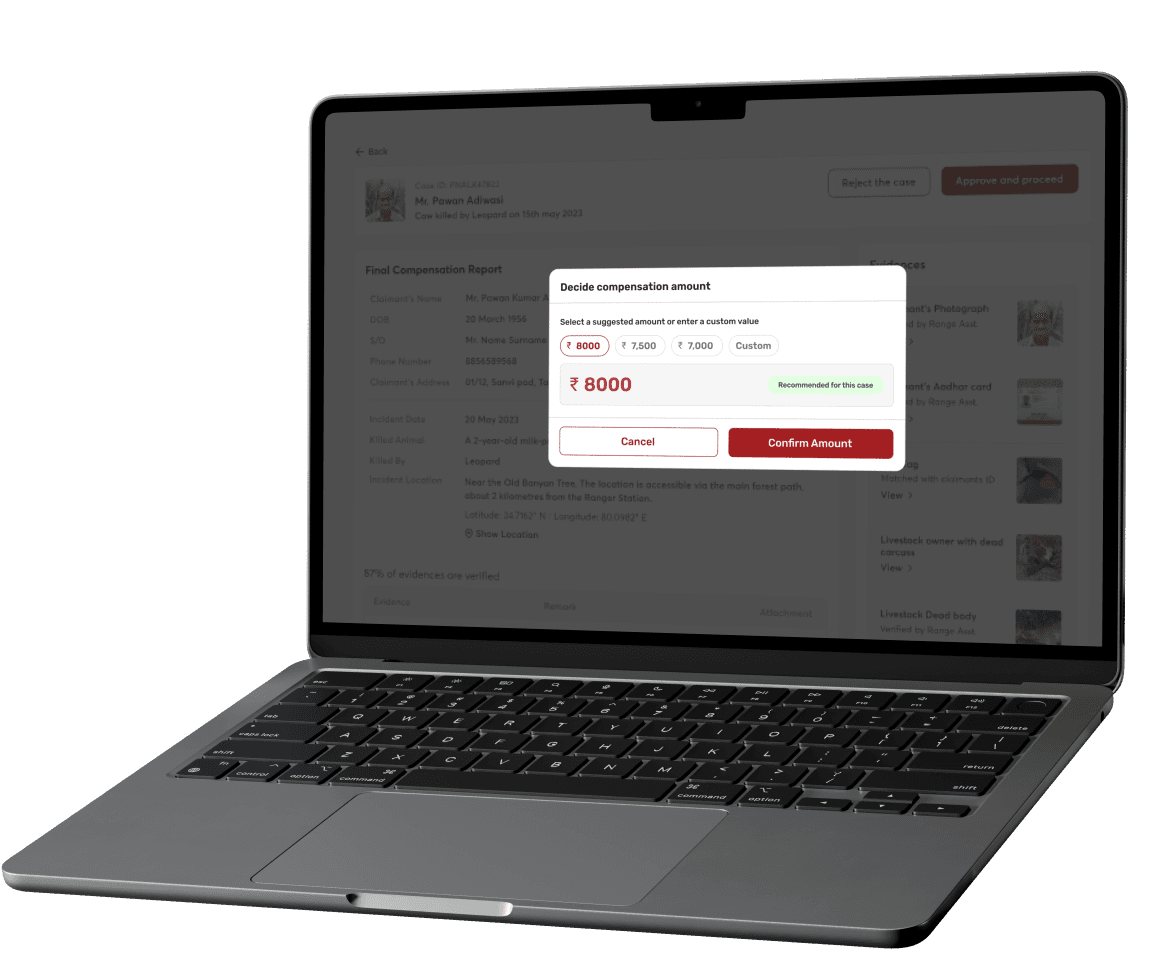
This is where the Ranger makes the final compensation decision.
The system intelligently suggests an amount based on predefined government rules, livestock type, age, and case category. This reduces manual calculation errors and speeds up decision-making.

Thank you!
Open to feedback, critique, and discussion on scaling this system further.
Next project
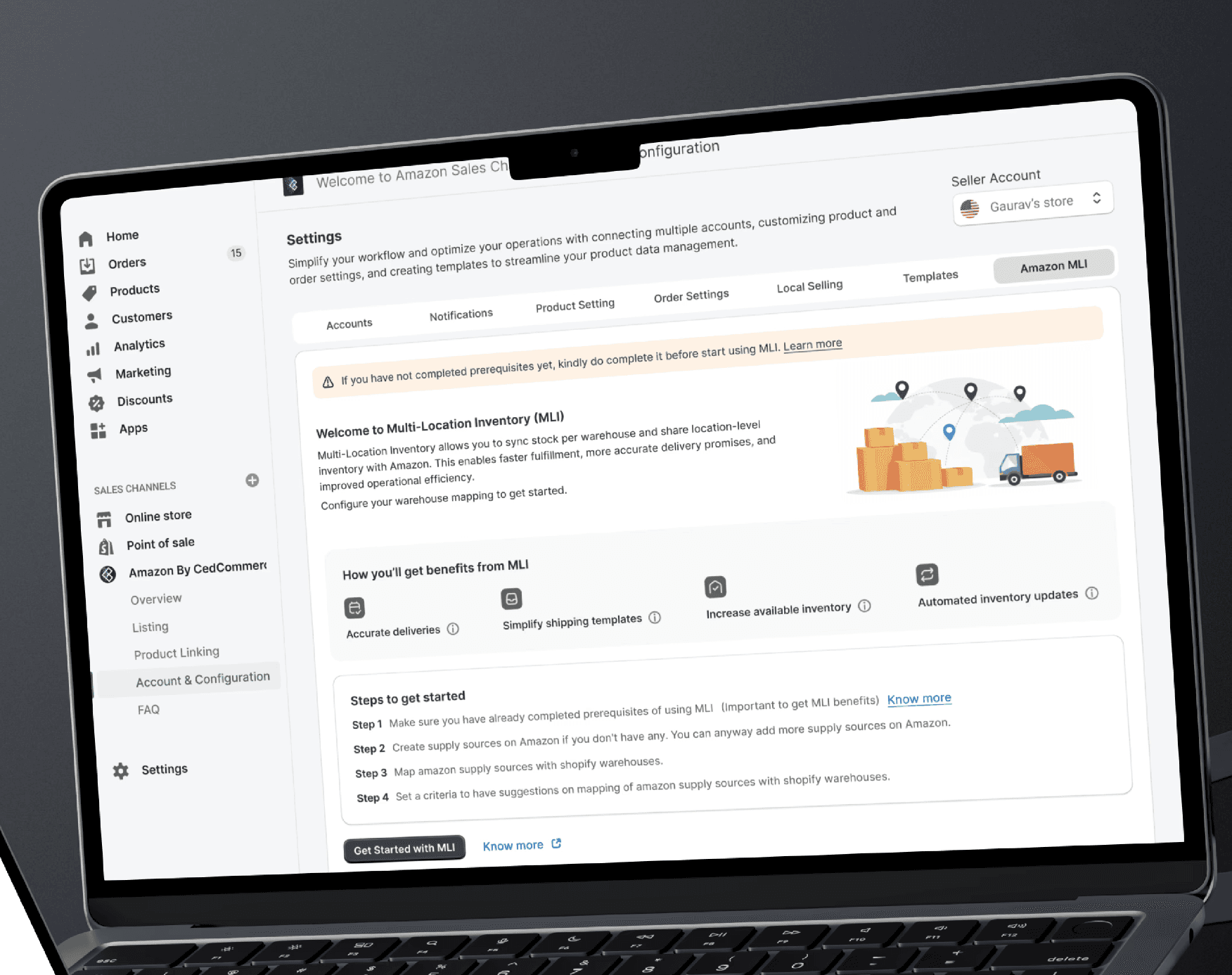
Multiple Location Inventory (MLI)
Manage inventory across multiple warehouses and let Amazon calculate delivery from the closest location automatically.

Impact
Reduced dependency on paper-based documentation
Structured and traceable verification process
Faster case movement from field to approval
Lower risk of disputes and inconsistent compensation
The project was designed with covering 50+ key screens across mobile and dashboard interfaces. It includes a structured 5-step field case workflow for on-ground verification and a dedicated approval and compensation flow for supervisory review. The entire system was built with rural, low-network conditions in mind, ensuring reliability even in remote forest locations.
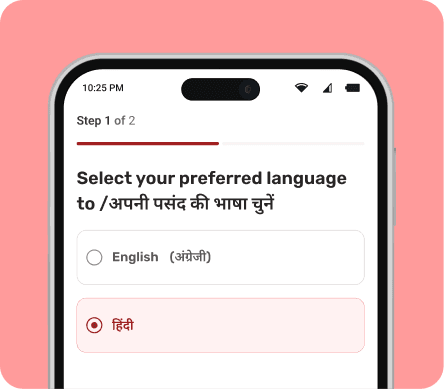
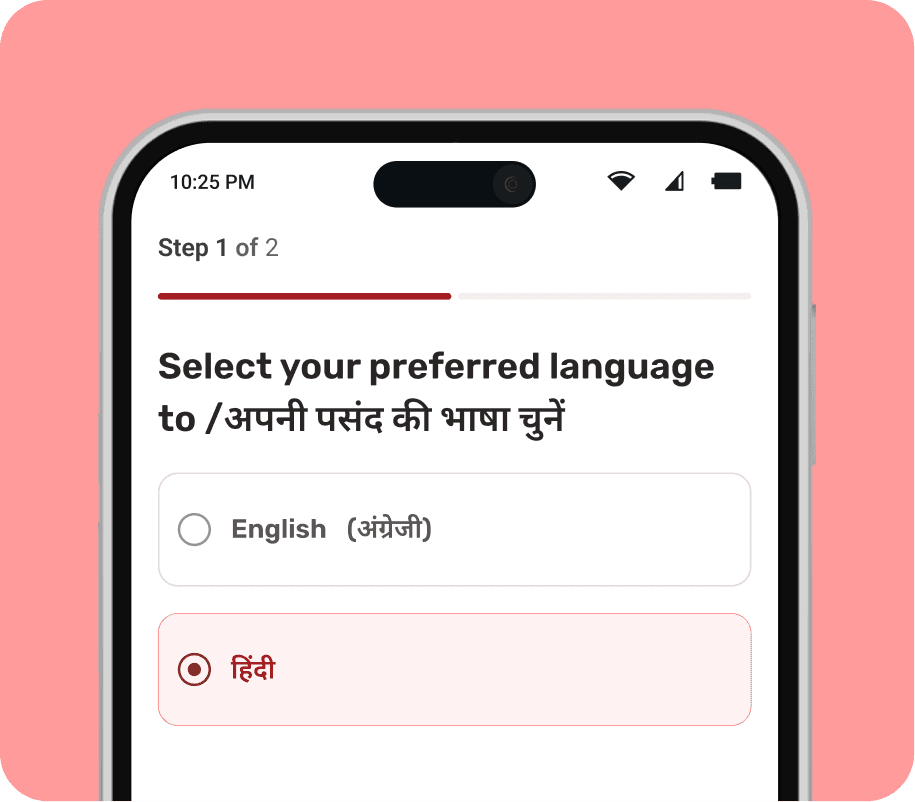
Select a language
This is the first step of onboarding.
Since almost 60% of Beat Guards I surveyed to use their phones primarily in Hindi. Making language selection a first step ensures the app feels familiar from the start.
Beat Guards can choose their preferred language so all instructions, alerts, and forms are easy to follow during on-ground verification.
This insight came from real field conversations not assumptions**
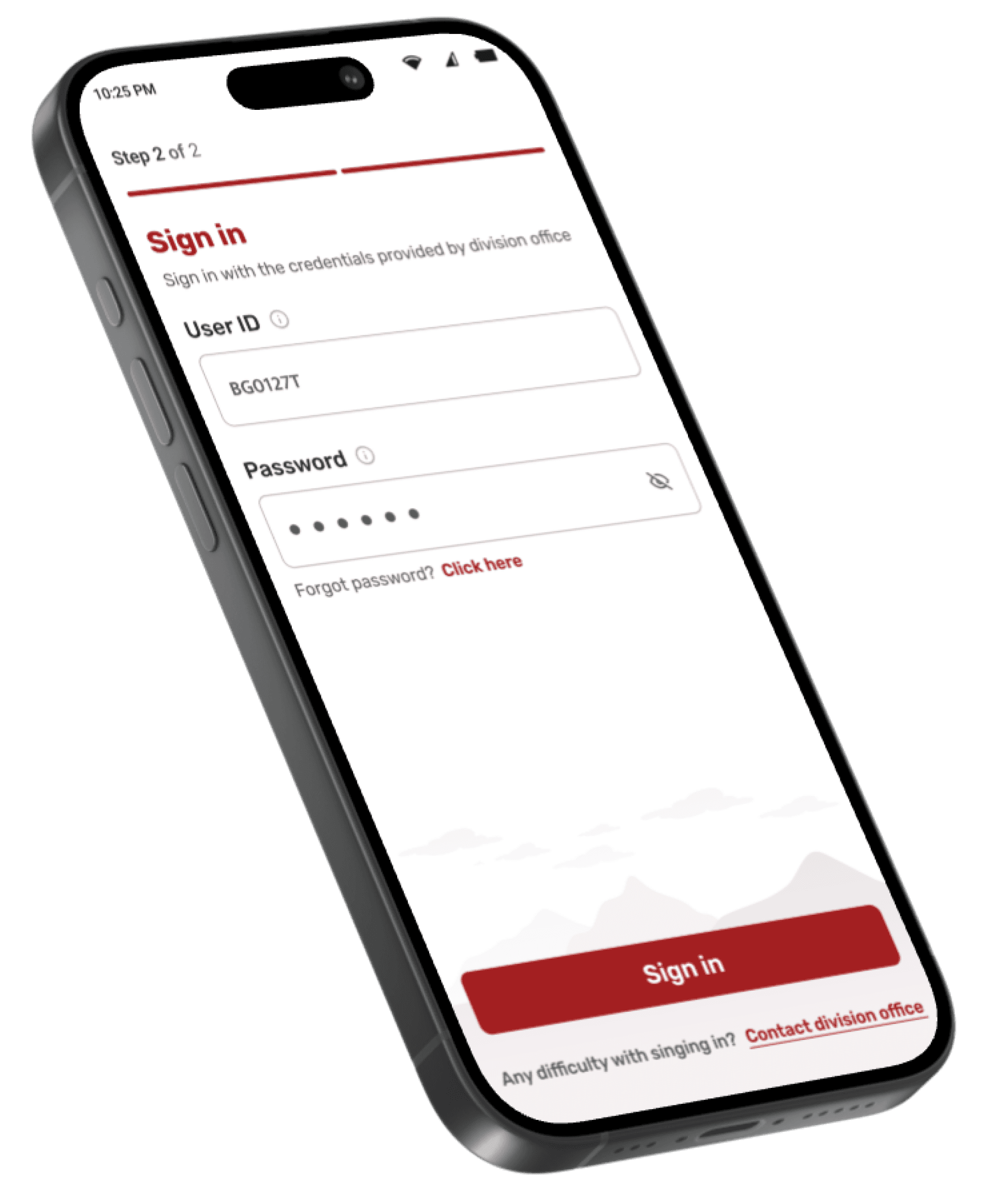
Sign in
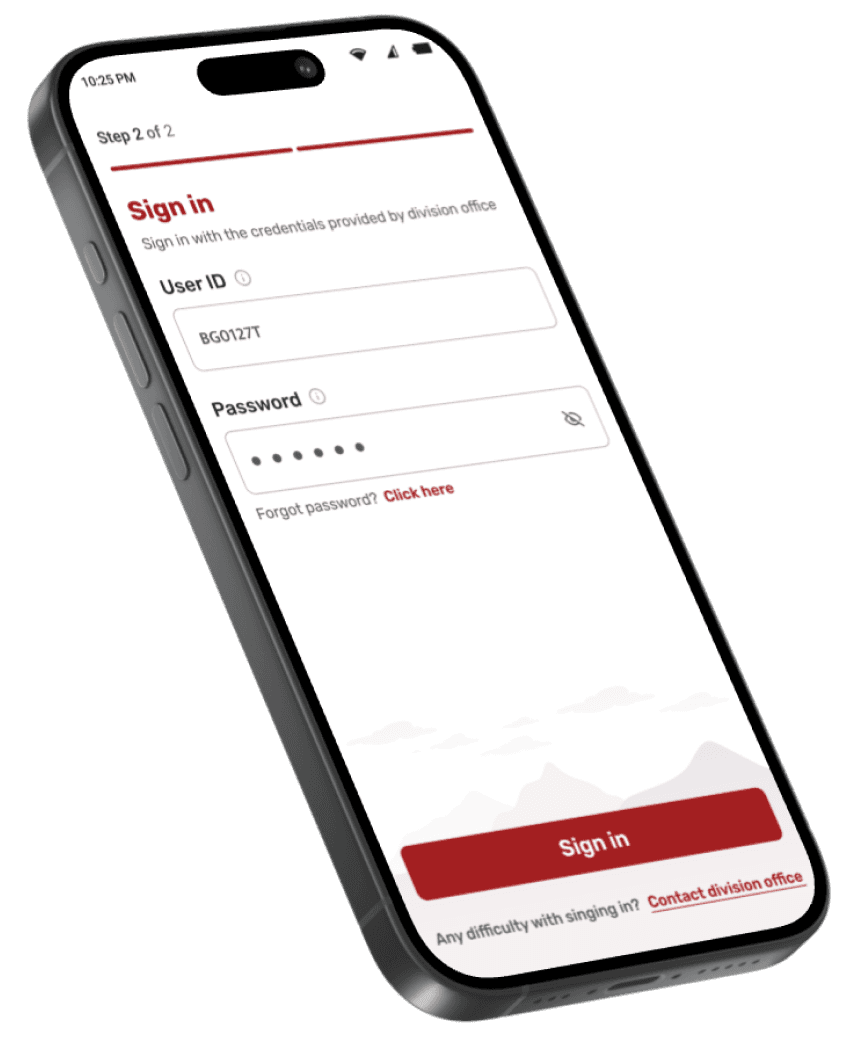
This app is used for government verification and compensation decisions, so access is restricted to authorised forest staff only.
Each Beat Guard logs in using a unique User ID and password provided by the division office, ensuring accountability from the very first step.
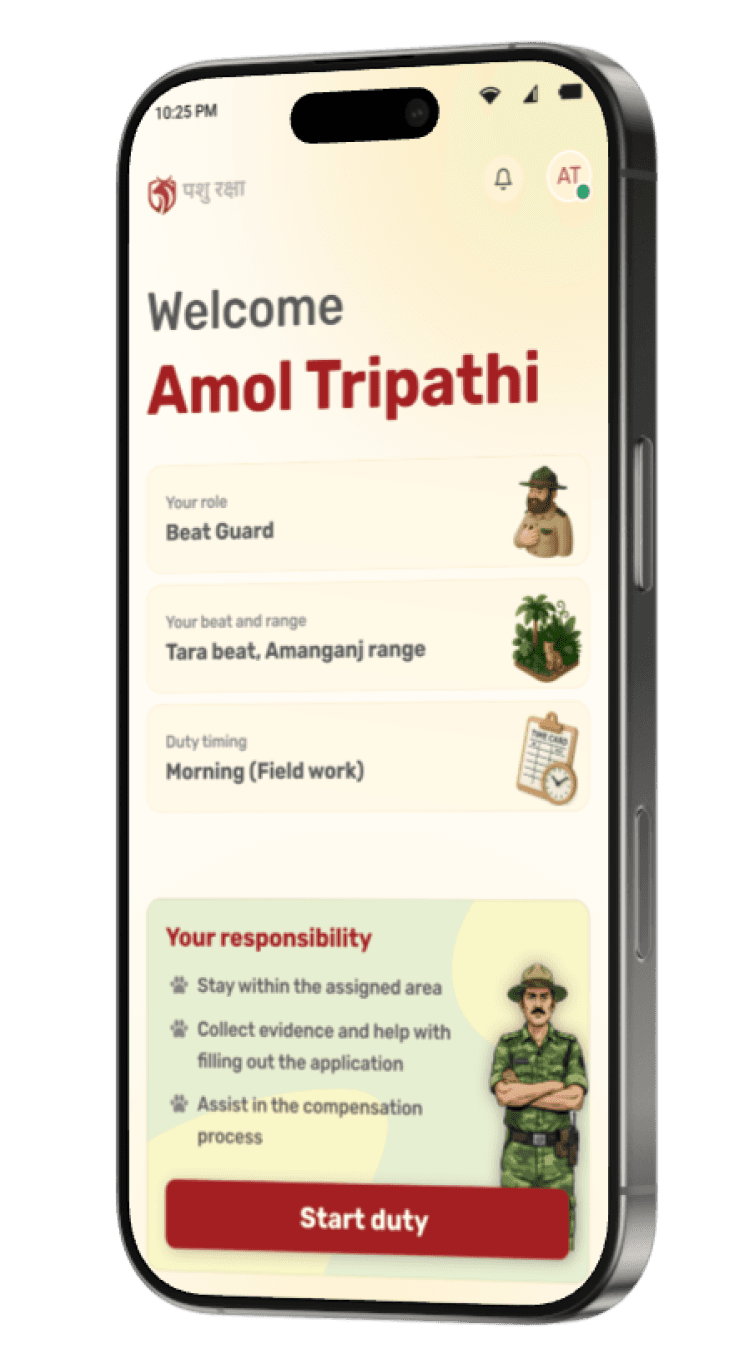
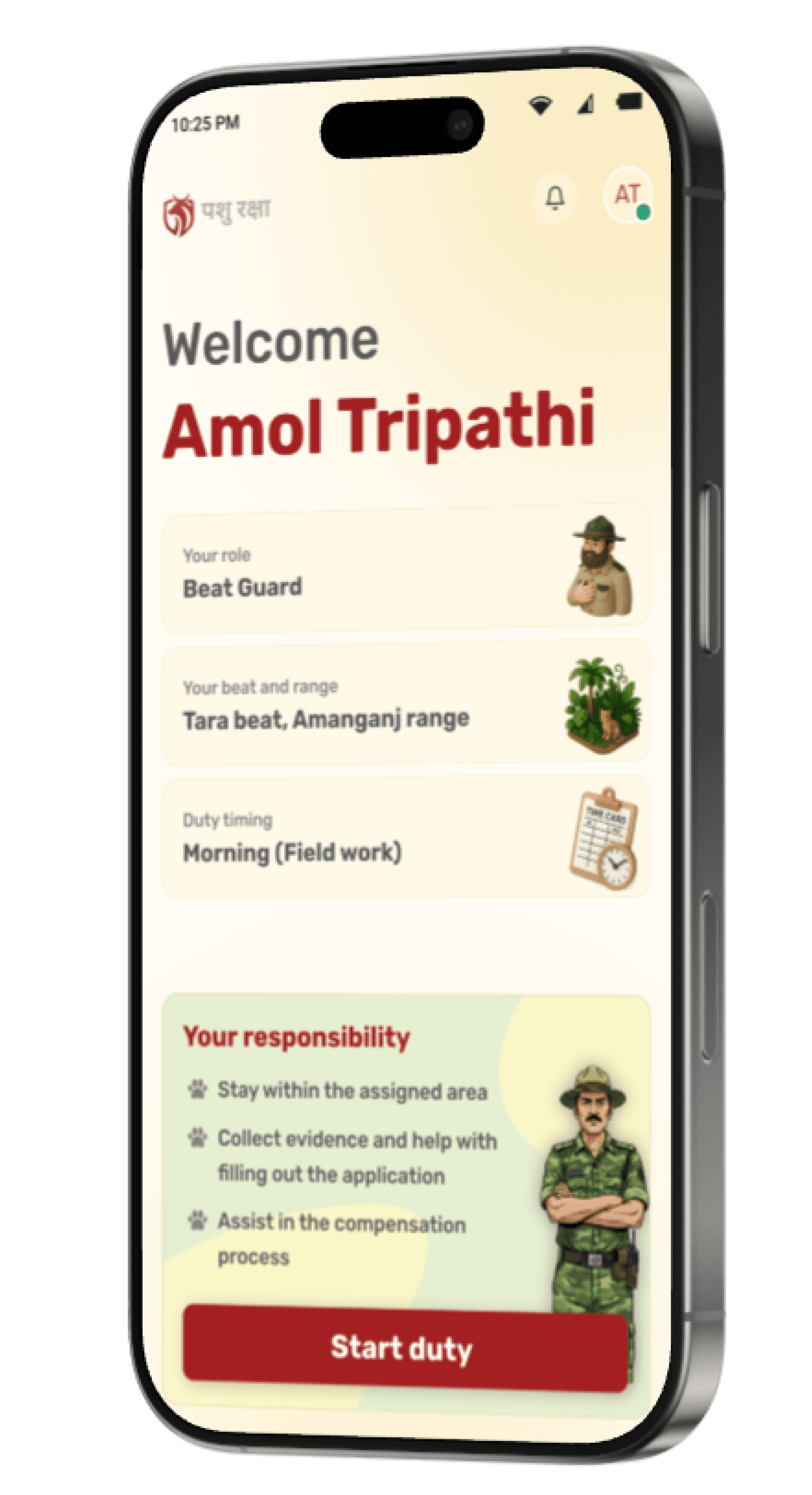
Before starting any field activity, the Beat Guard needs clarity, not features.
This screen establishes identity, role, jurisdiction, and responsibility in one glance.
“After spending a few days thinking through the problem, it became clear that fixing the process on paper wouldn’t help. The solution had to live in the field that’s when I decided to design a digital platform.”


BEAT
GUARD
RANGER
Meet the people (users) who are going to use this platform
a.k.a. Persona


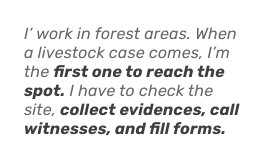
I want a way to record everything properly at the location, so later no one questions what I did or whether I was really there.
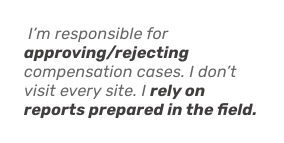
My challenge is deciding fairly, quickly, and confidently,without calling files back or keeping cases pending.
If I can clearly see what was verified on-site and when, my decisions become faster and more reliable.
A quick skip to the solution
A lot of thinking went into this solution. I’ve intentionally skipped the UX processes, flows, and IA used during ideation to keep the story focused and readable
Onboarding
Onboarding
Onboarding
Onboarding
Select a language
This is the first step of onboarding.
Since almost 60% of Beat Guards I surveyed to use their phones primarily in Hindi. Making language selection a first step ensures the app feels familiar from the start.
Beat Guards can choose their preferred language so all instructions, alerts, and forms are easy to follow during on-ground verification.
This insight came from real field conversations not assumptions**
Sign in
This app is used for government verification and compensation decisions, so access is restricted to authorised forest staff only.
Each Beat Guard logs in using a unique User ID and password provided by the division office, ensuring accountability from the very first step.
Before starting any field activity, the Beat Guard needs clarity, not features.
This screen establishes identity, role, jurisdiction, and responsibility in one glance.
Ongoing cases are clearly highlighted at the top to prevent delays and context switching. If a Beat Guard has already accepted a case, it appears as “In Progress” and is visually prioritised.
This ensures focus, accountability, and timely completion within the defined deadline.
Case acceptance is treated as a deliberate decision. Before opening full details, the Beat Guard sees a quick case summary with owner contact and distance.
This modal acts as a checkpoint, once accepted, the case is locked to the Beat Guard and must be completed.
After accepting the case, the Beat Guard gets full context before starting field work.
Owner details, contact access, live distance, and navigation are surfaced upfront to support on ground movement.
To maintain accountability and prevent misuse, case submission requires password re-confirmation!
This ensures intentional submission, avoids accidental closures, and establishes clear responsibility of the assigned Beat Guard.
Upon confirmation, the case is automatically routed to the Ranger’s review queue for evaluation and approval.
After logging in, the Ranger lands on a centralised dashboard that gives a clear, consolidated view of all case activities
After logging in, the Ranger lands on a centralised dashboard that gives a clear, consolidated view of all case activities
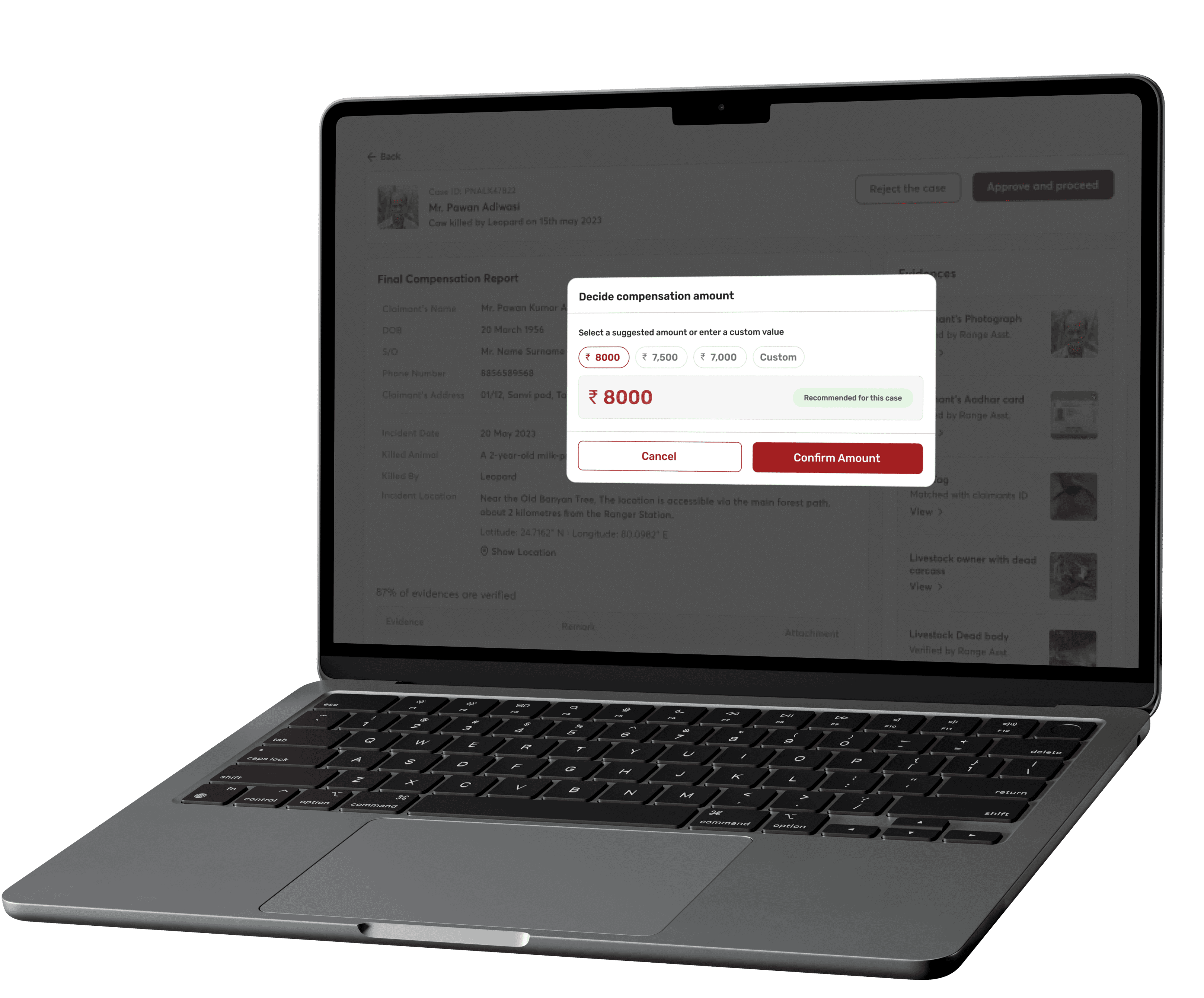
This is where the Ranger makes the final compensation decision.
This is where the Ranger makes the final compensation decision.
The system intelligently suggests an amount based on predefined government rules, livestock type, age, and case category. This reduces manual calculation errors and speeds up decision-making.
The system intelligently suggests an amount based on predefined government rules, livestock type, age, and case category. This reduces manual calculation errors and speeds up decision-making.

Impact
Reduced dependency on paper-based documentation
Reduced dependency on paper-based documentation

Structured and traceable verification process
Structured and traceable verification process

Faster case movement from field to approval
Faster case movement from field to approval

Lower risk of disputes and inconsistent compensation
Lower risk of disputes and inconsistent compensation

Impact
Reduced dependency on paper-based documentation
Structured and traceable verification process
Faster case movement from field to approval
Lower risk of disputes and inconsistent compensation
The project was designed with covering 50+ key screens across mobile and dashboard interfaces. It includes a structured 5-step field case workflow for on-ground verification and a dedicated approval and compensation flow for supervisory review. The entire system was built with rural, low-network conditions in mind, ensuring reliability even in remote forest locations.
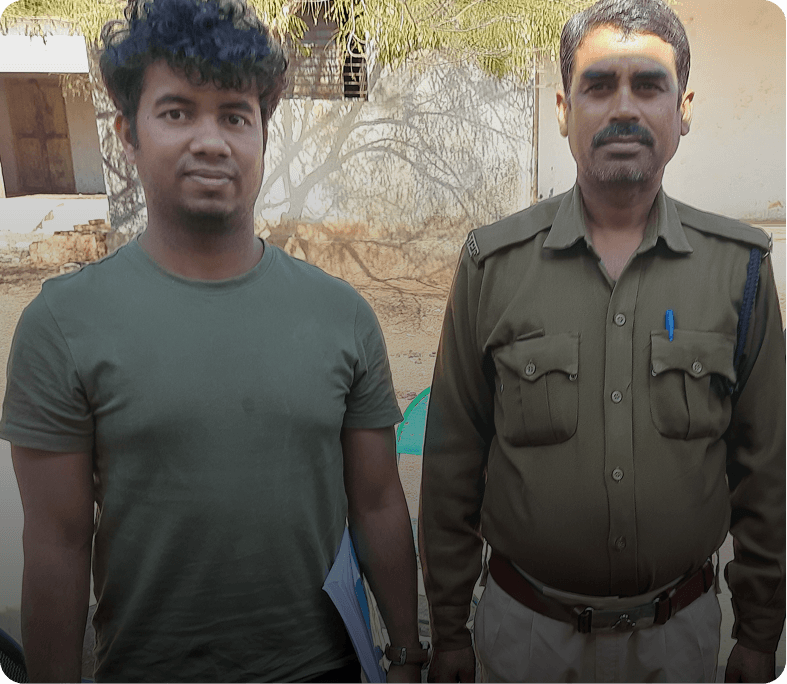
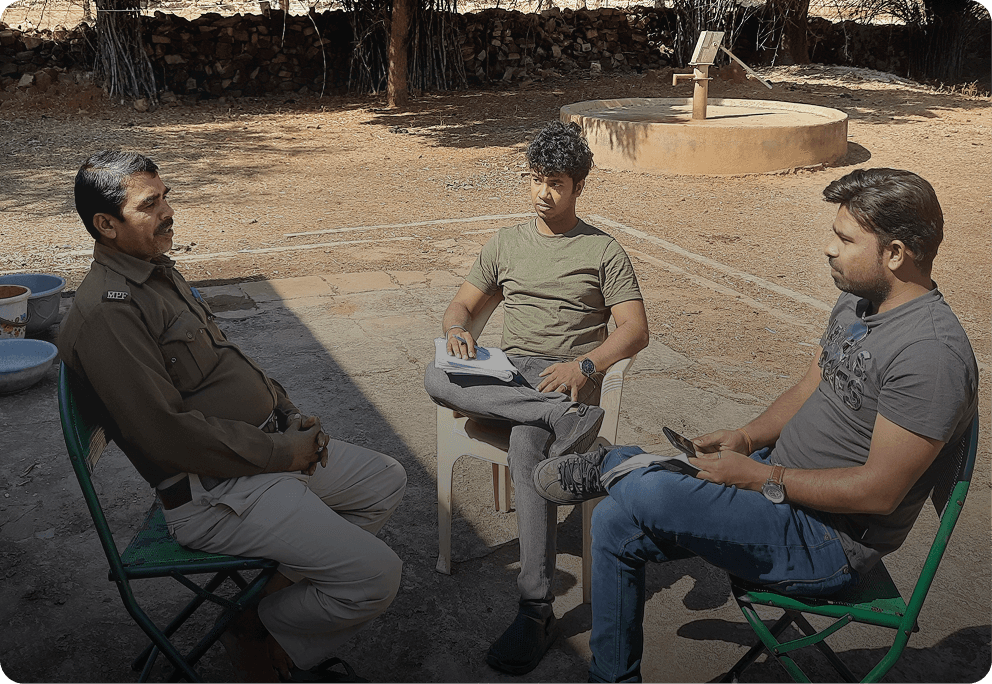
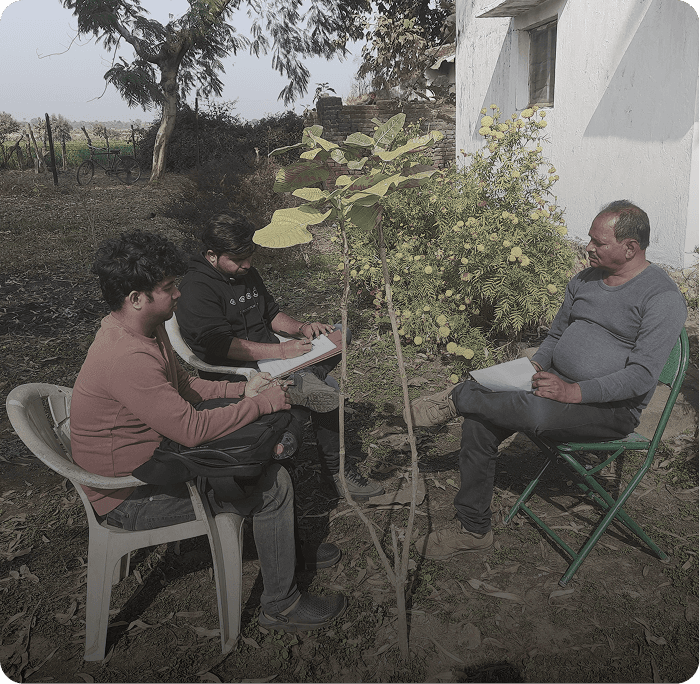
Behind the Scenes
Real people, real conversations, and real challenges behind the design.
Thank you!
Open to feedback, critique, and discussion on scaling this system further.
